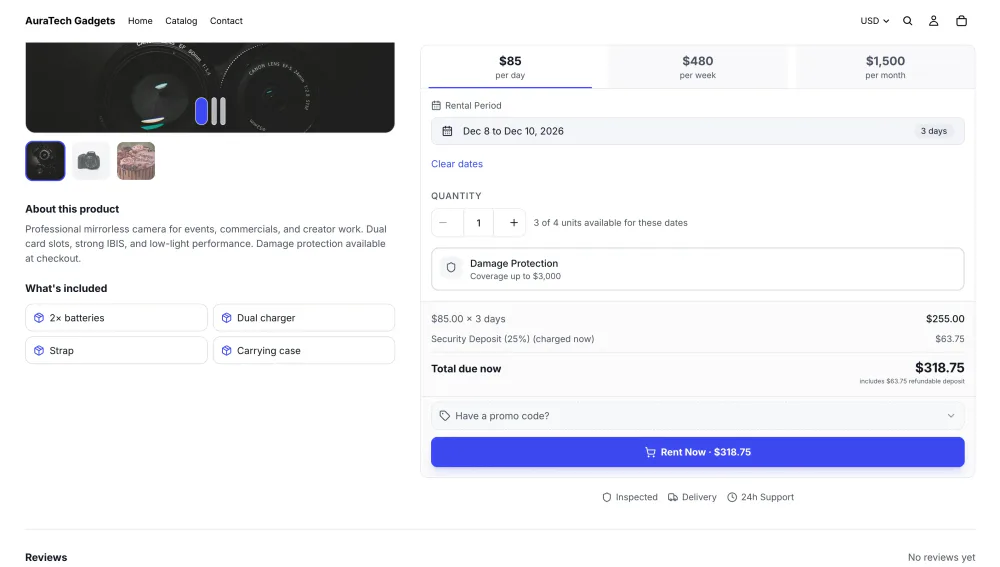
Rental inventory management software for rates, stock and serial units

A spreadsheet can't tell you which camera is free next weekend. Rental Suite is rental inventory management software that links your Shopify products, sets day, week and month rates, and tracks a fleet count or each serial unit, so booked units drop out of availability on their own.

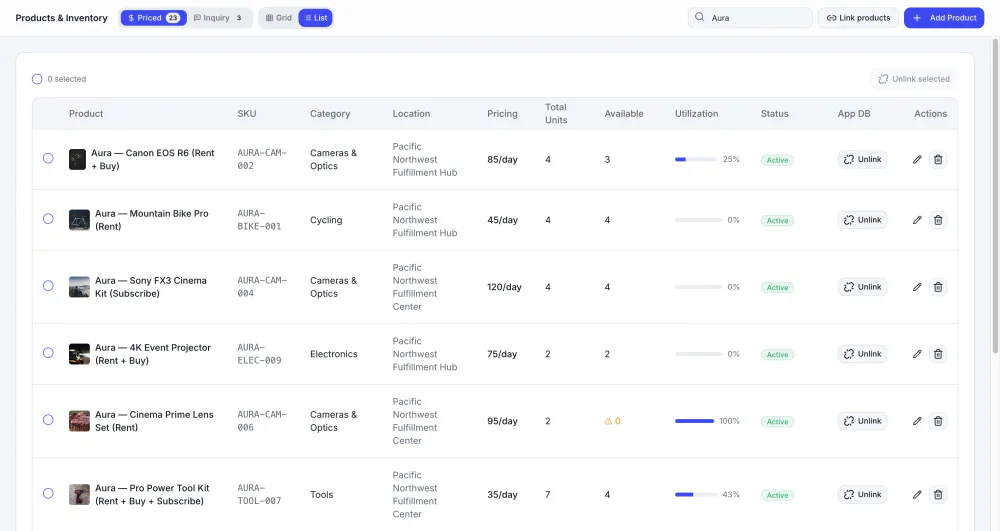
Products and Inventory list view with rates, total units, units available, utilization and status for rental products
SKUMerchant & storefront key
3Sell modes + Inquiry
SerialOptional unit tracking

One rental profile per product: pricing, stock and availability rules in one place.

01See it in action

See products & inventory in the admin

A short walkthrough in the Rental Suite admin, with voiceover. It plays muted; press Play with sound to hear it from the start.

Read the setup guide

02Rental profiles

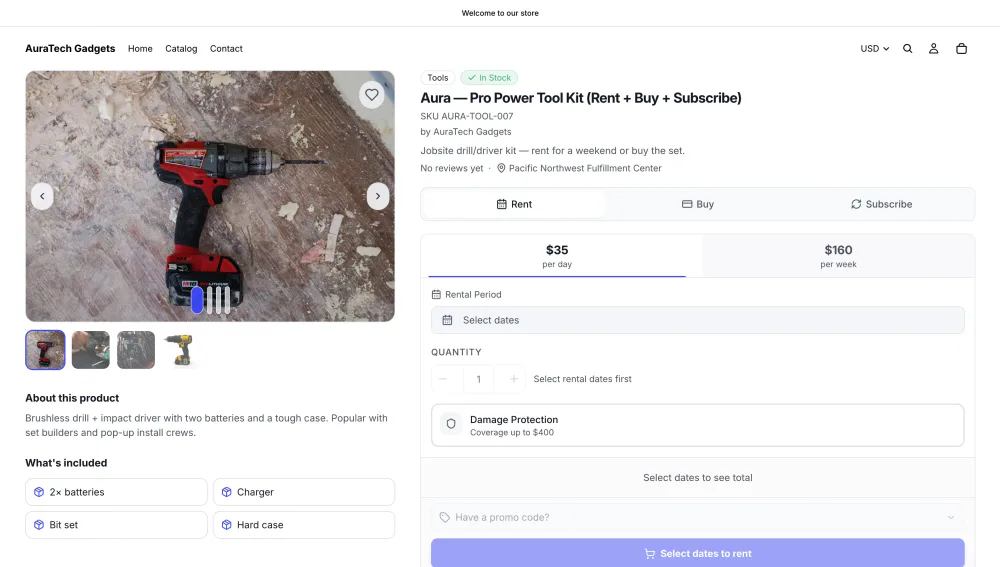
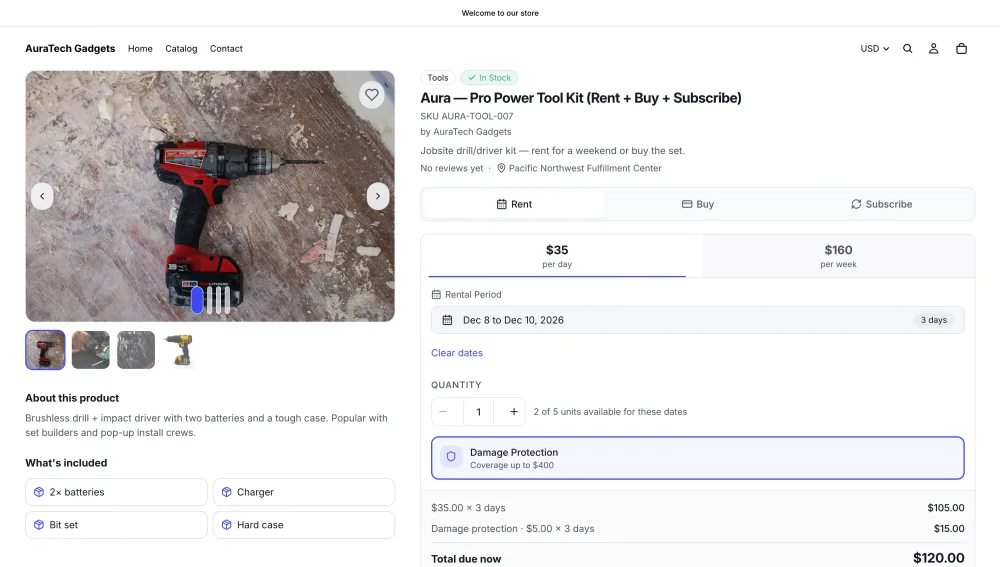
Each linked Shopify product gets a rental profile with modes, rates, stock and date rules in three tabs. The storefront and New Booking both read that one profile.

Merchants and the storefront find each product by its SKU, while Shopify IDs stay internal.

Products & inventory
  • Priced
  • Inquiry
  • Link products
  • Details & Pricing
  • Inventory
  • Availability & Settings

03Product setup

Rental inventory management software with one profile per product

Link a catalog product, then work through Details & Pricing, Inventory and Availability & Settings before you save.

01 · Admin

Link products from Shopify

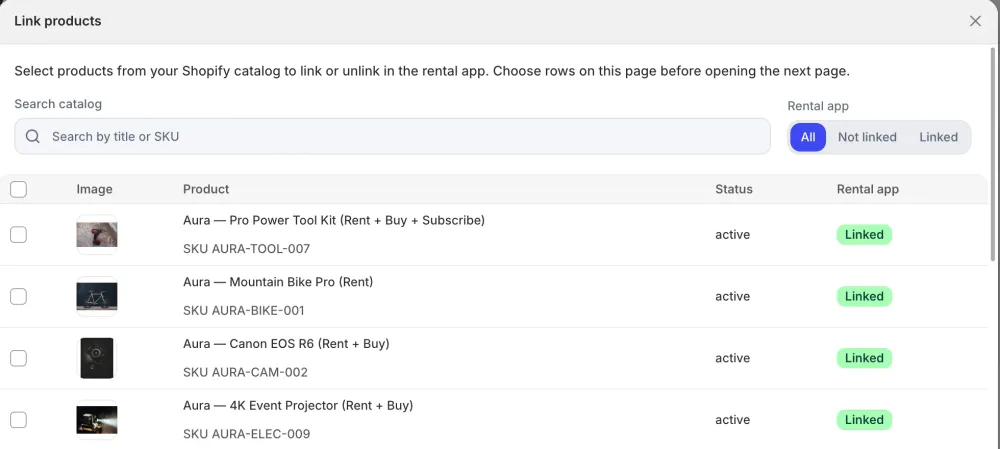
Search your catalog by title or SKU, filter by Linked or Not linked, and link the rows you pick. Add Product creates a new one instead.

  • Linked products join /collections/rentals
  • Unlink keeps the Shopify product and its history
Admin1 / 4
Link products dialog listing catalog products with their linked status and a search box
02 · Admin

Copy and SKU

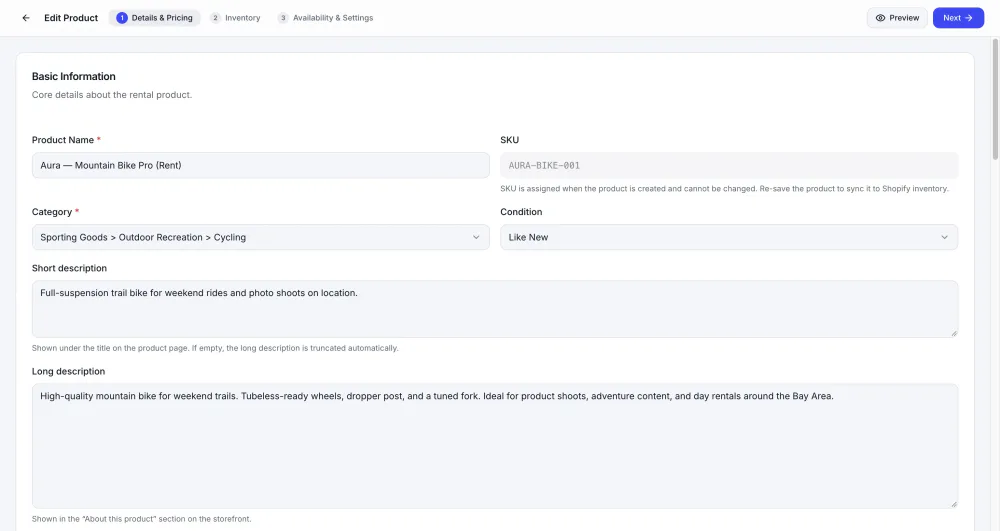
Name, SKU, category, condition and tags, plus a short description under the title and a long one for About this product.

  • The SKU is suggested from the name, must be unique and is fixed once created
  • Included items show as What's included
Admin2 / 4
Product editor Basic Information step with name, category, condition and descriptions for a rental product
03 · Admin

Modes and rates

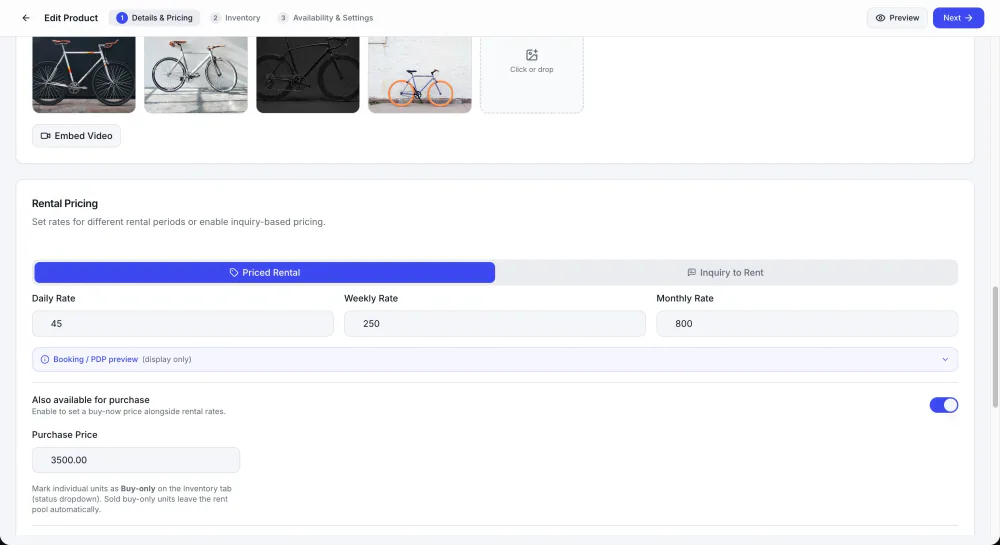
Choose Priced Rental or Inquiry to Rent, set daily, weekly and monthly rates, then turn on purchase or subscription pricing.

  • Plan prices can follow your rate minus a discount
Admin3 / 4
Product editor Rental Pricing card with daily, weekly and monthly rates and the Also available for purchase option
04 · Admin

Availability rules

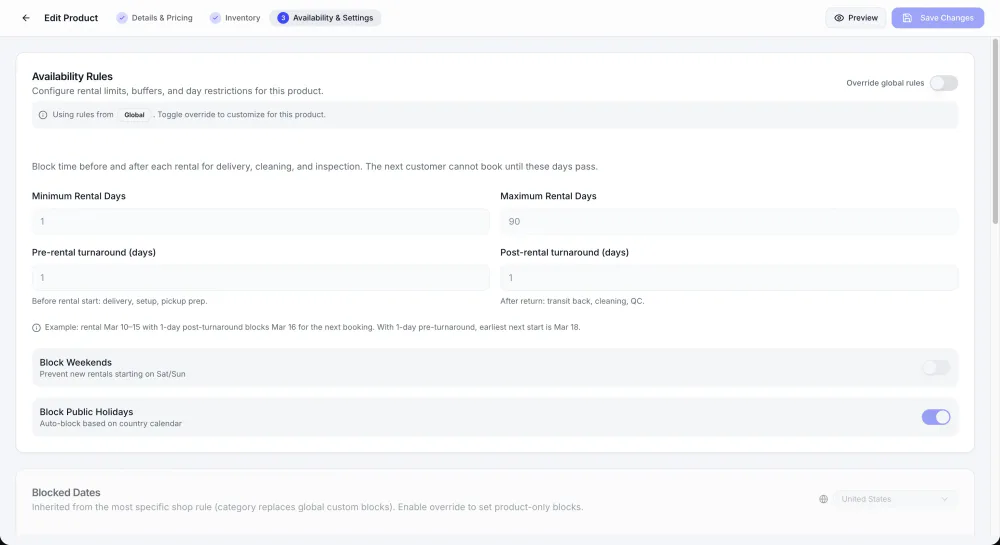
Minimum and maximum days, turnaround before and after each rental, and blocked weekends or public holidays. Rules come from your shop-wide settings, or a category or tag rule, unless you override them on the product.

  • Turnaround keeps days free for delivery, cleaning and inspection
Admin4 / 4
Product availability rules showing the shop-wide minimum, maximum and turnaround days inherited, with the override switch off

04Inventory

Rental inventory tracking for every unit, not just a count

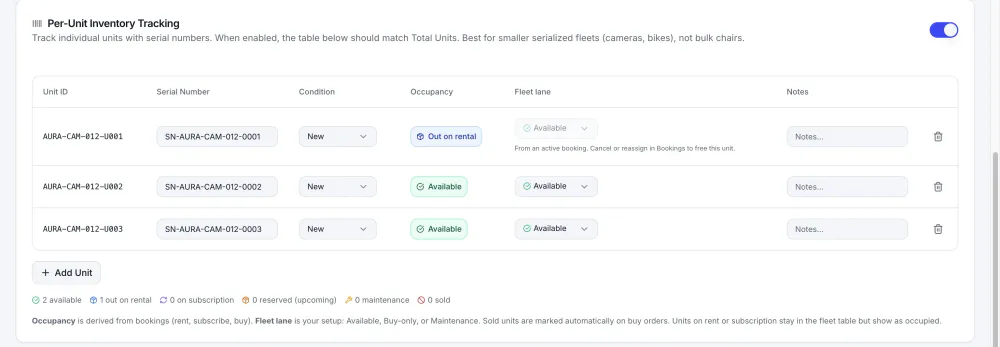
Per-unit tracking suits serialized fleets like cameras and bikes. Bookings set each unit's occupancy, and you set its fleet lane.

admin.shopify.com/store/your-store/apps/rentalsuite/products/AURA-CAM-012/edit
Per-Unit Inventory Tracking table with unit IDs, serial numbers, condition, occupancy and fleet lane for camera bodies

05Products & Inventory

Your whole rental inventory in one list

The list shows each linked product's location, daily rate, total units, units available and utilization, with a warning when nothing is left and a status for items in maintenance. Switch between priced and inquiry products, or between list and grid.

07Highlights

More in Products & inventory

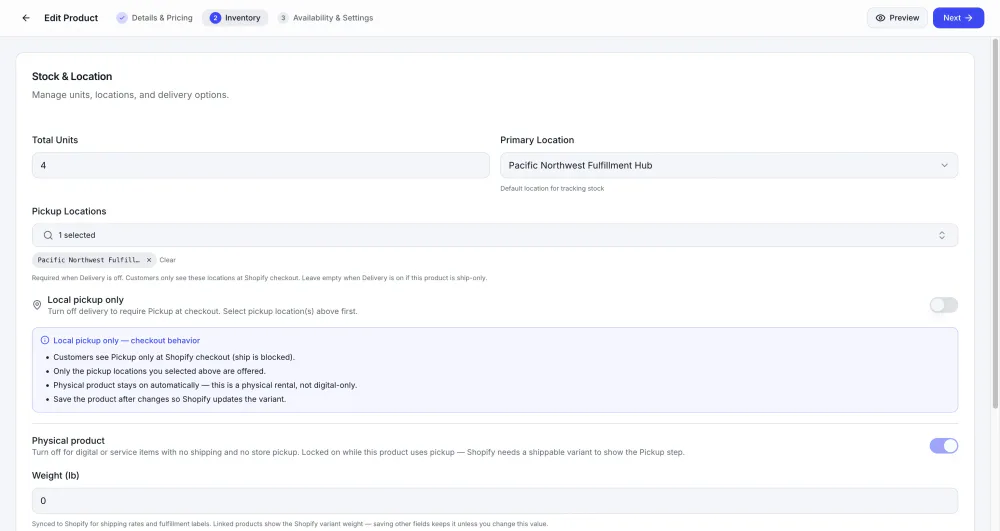
Product editor Inventory step with total units, primary location, pickup locations and local pickup only option

Pickup locations per product

Choose where each product can be collected, or make it pickup only so checkout offers pickup at those locations instead of shipping.

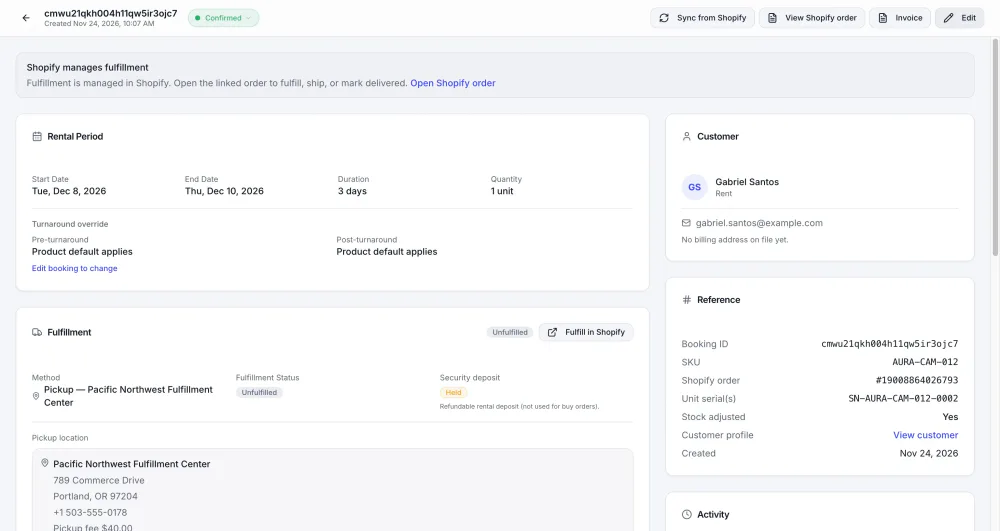
Booking detail with the rental period, pickup location, security deposit status and the unit serial number assigned to the booking

Every unit on its booking

Bookings list the serials they hold next to the SKU, the Shopify order and the pickup location, so you know which unit went out.

09FAQ

Products & inventory questions

Common questions about rental inventory management in Rental Suite.

Still have questions?

Ask the team that builds the app. We reply within one business day.

What is rental inventory management software?

It's software that tracks which rental items you own, what they cost to rent and which units are free on which dates. In Rental Suite each linked product gets a rental profile with rates, stock and date rules, and bookings take units out of availability for the days they cover.

Can rent and buy share stock?

Yes. Rent, Buy and Subscribe share one pool of units by default, and a sale can only take a unit that isn't rented or booked for coming dates. Mark units Buy-only when you want some kept for sale.

What happens if I unlink a product?

Unlink hides the product from the rental catalog and storefront but keeps the Shopify product, its availability rules, serials and booking history, so you can re-link it later from Link products.

What happens if I delete a product?

Delete removes the product from Shopify and deletes its rental profile from Rental Suite, and it can't be undone. Use Unlink instead if you only want to hide it and keep the Shopify item.

Where are rental rates stored?

On the product's rental profile in Rental Suite. Day, week and month rates and the modes are saved there and copied to app metafields so the storefront can read them.

Do plans limit products?

No. Every plan includes unlimited rental products. Plans differ by rental bookings a month (Free 20, Standard 200, Growth 500, Enterprise unlimited), and Standard and up add quote requests, waitlists and the Subscribe option.