Ecommerce rental software on your own product page

Shoppers want dates, prices and stock before they commit, not an email thread. Rental Suite is ecommerce rental software that adds Rent, Buy and Subscribe tabs to your Shopify product page, with a live calendar and every line of the total before checkout.

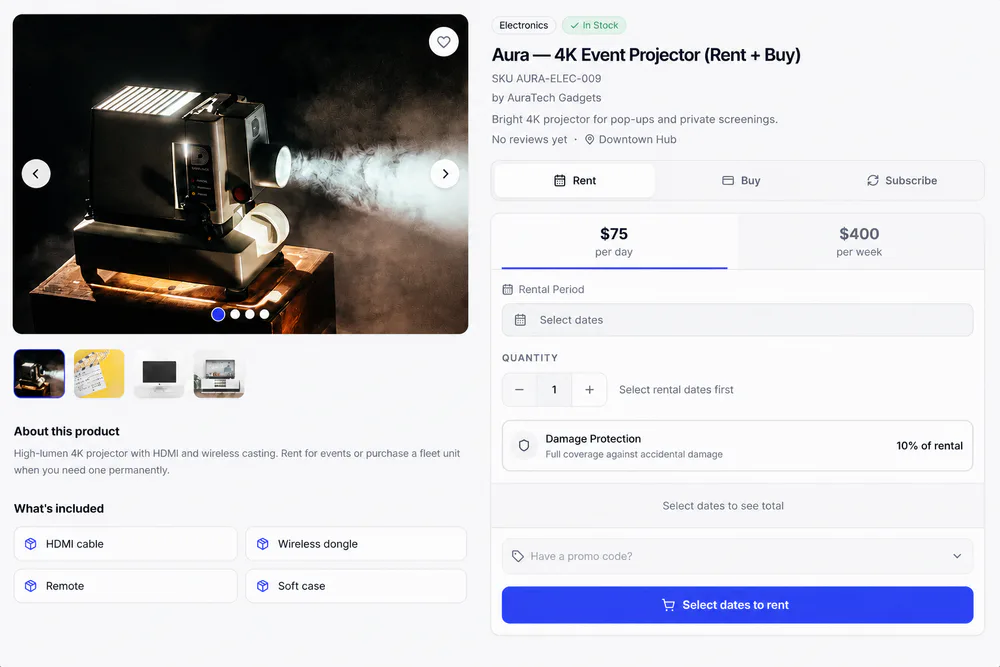
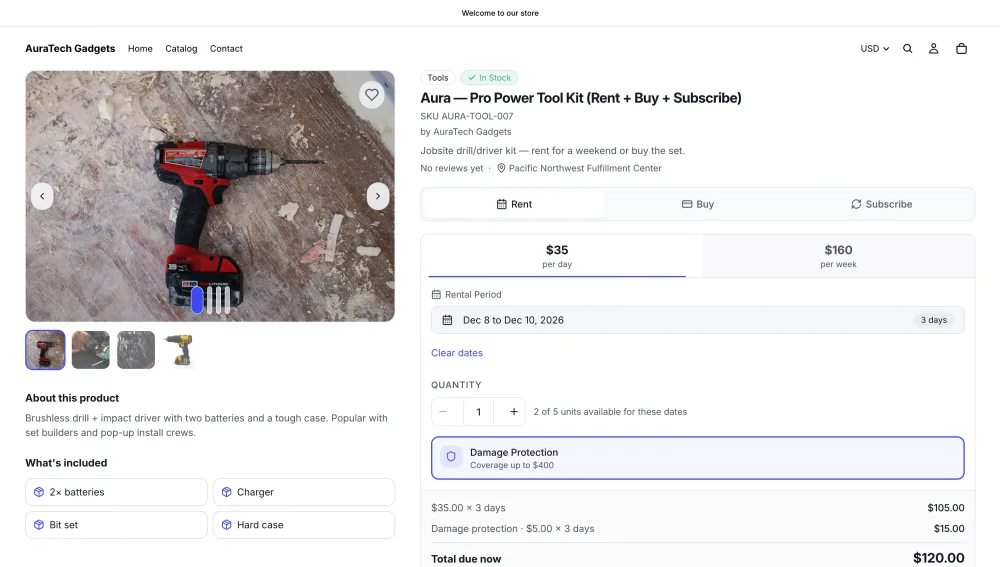
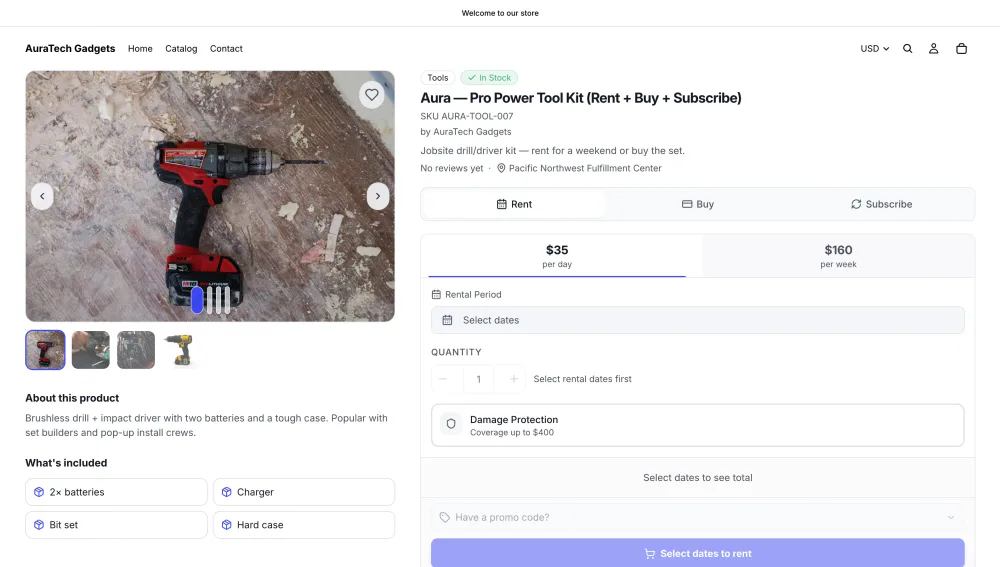
Product page with Rent, Buy and Subscribe tabs, day and week rates, date picker and the optional damage protection add-on
3Modes: Rent · Buy · Subscribe
1Theme app block
LiveAvailability calendar

One theme app block from the theme editor. No custom theme code.

01See it in action

See storefront rentals in the admin

A short walkthrough in the Rental Suite admin, with voiceover. It plays muted; press Play with sound to hear it from the start.

Read the setup guide

02Product page

Rent, Buy and Subscribe sit as tabs on one product page in your Shopify store. Shoppers pick dates on a live availability calendar, see the total and check out under the same stock rules as admin bookings.

One theme app block shows the rental UI on linked products, while every other product keeps your theme's normal buy box.

Storefront rentals
  • Rent
  • Buy
  • Subscribe
  • Inquire
  • Damage protection
  • Rental product page

03Shopper view

Ecommerce rental software with every mode on one page

Each tab shows up only when that mode is on for the product, so shoppers switch modes without leaving the page.

01 · Storefront

Rent with live availability

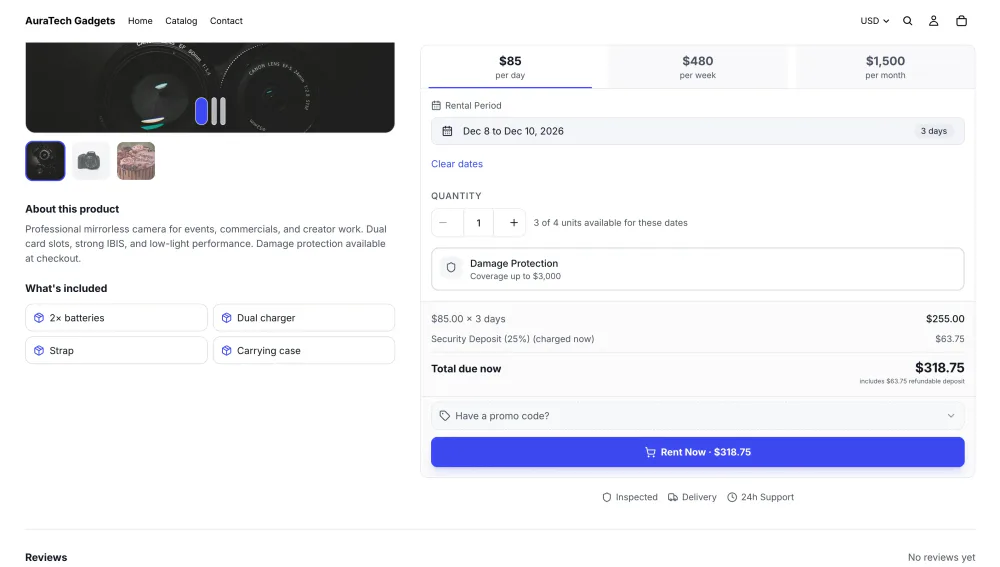
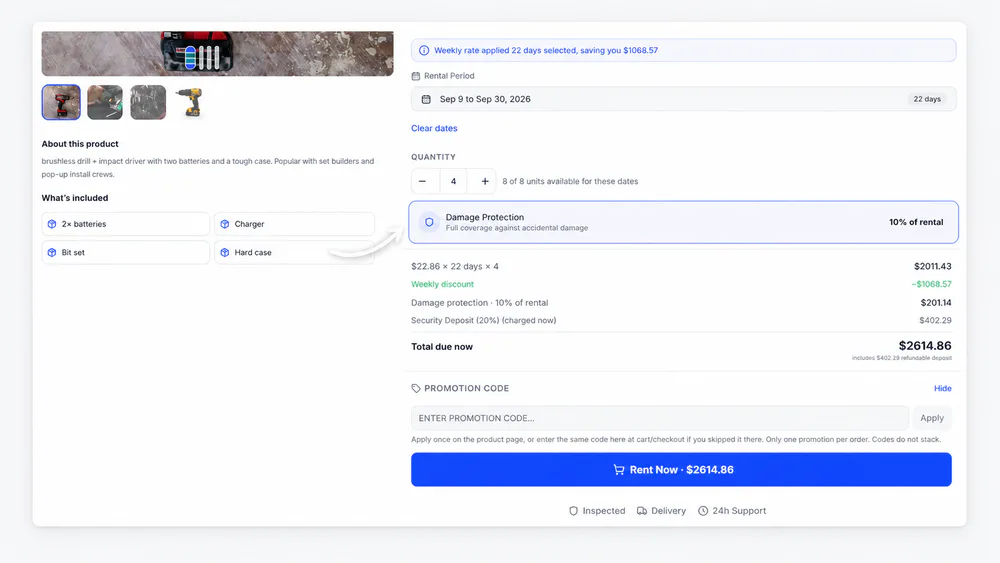
Shoppers pick a date range and quantity, add damage protection if you offer it, and see every line of the total before Rent Now.

  • Longer ranges switch to your weekly or monthly rate
  • Quantity stops at the units free for those dates
  • Any security deposit is part of Total due now
Storefront1 / 4
Damage protection on product page
02 · Storefront

Buy from the same product

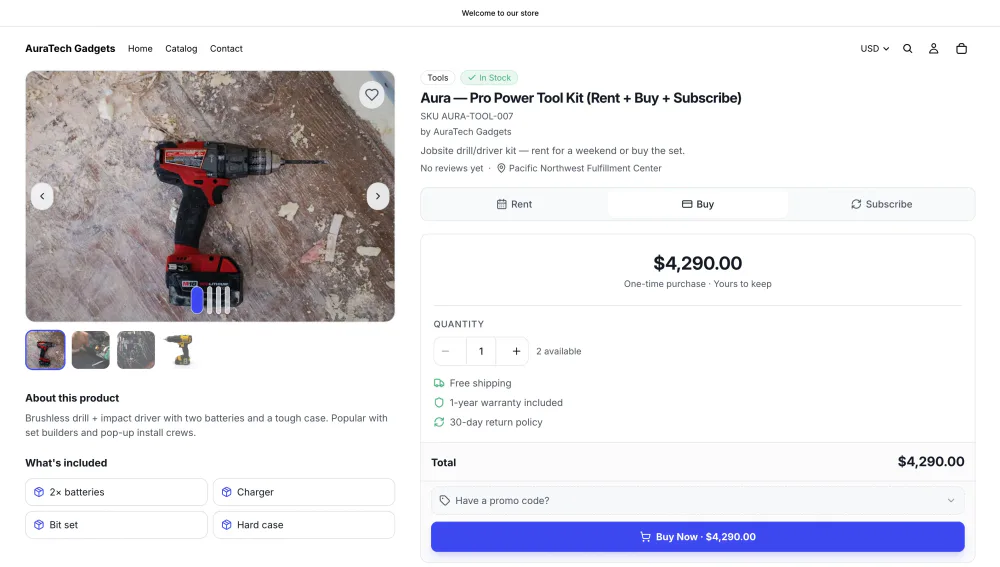
A one-time purchase with the units available and a Buy Now total. Sales come from the shared fleet or from units you mark Buy-only.

Storefront2 / 4
Buy tab on the product page with the one-time price, quantity, units available and Buy Now button
03 · Storefront

Subscribe for recurring rentals

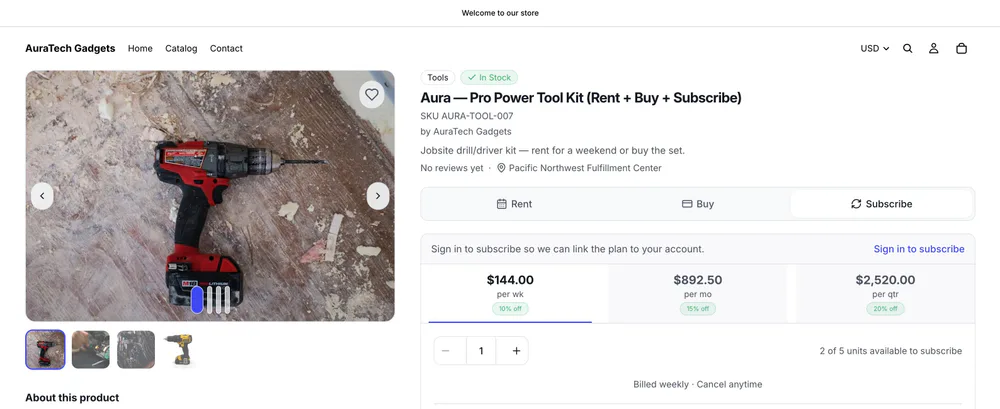
Plan tabs show each billing cycle with its discount, the shared-pool slots left and a Subscribe button priced per cycle.

  • Customers sign in to subscribe
  • They manage it from Subscriptions in their account menu
Storefront3 / 4
Product page with Rent, Buy and Subscribe tabs, weekly, monthly and quarterly plan prices with discount badges and units available to subscribe
04 · Storefront

Inquire on quote-only products

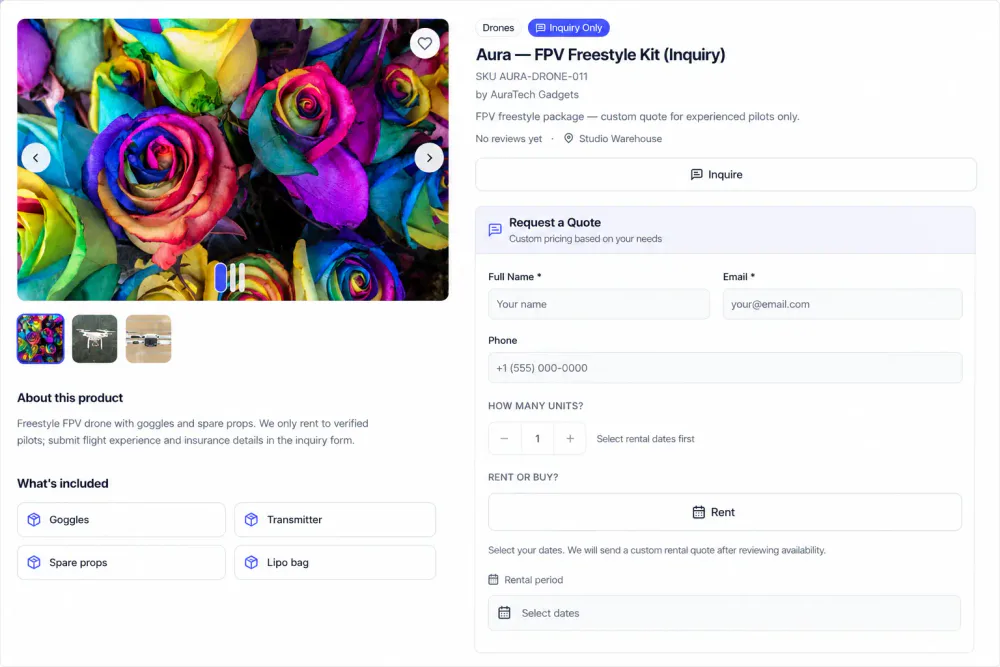
Inquiry-priced products show a Request a Quote form instead of checkout. Each request lands on the Inquiries tab in admin.

Storefront4 / 4
Storefront Request a Quote on inquiry-only product

04Setup

Set up your online rental store in the theme editor

Open Storefront in Rental Suite to jump to your product template, add the block once, and every linked product uses it.

  1. Theme editor

    Add the Rental product page block

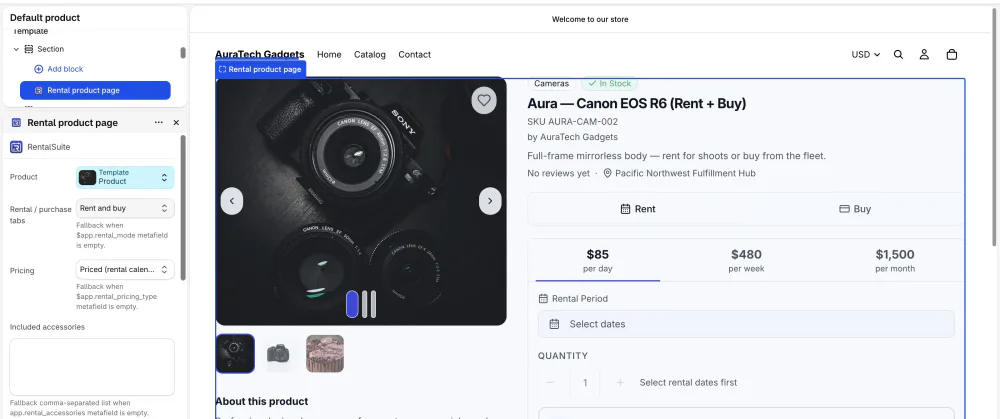
    Add it as its own Apps section on the product template, below the breadcrumb, and keep your theme's Product information section enabled.

    • Linked products get the rental UI
    • Other products keep the theme's buy box
    • Block settings cover layout ratio and font size
    Theme editor with the Rental product page app block selected on the product template and its settings panel beside the live preview
  2. Theme editor

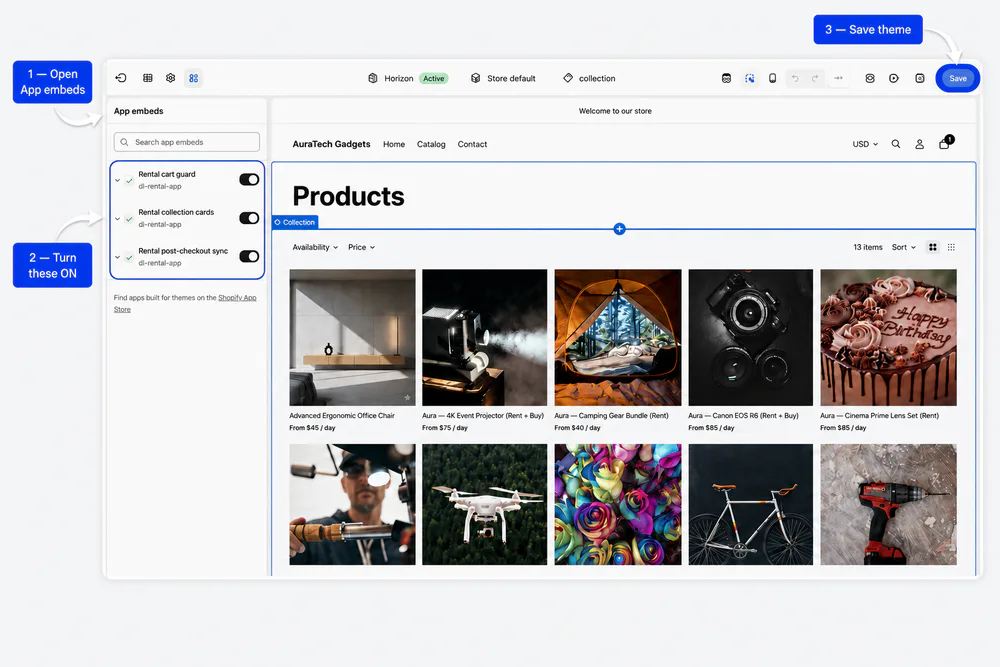
    Turn on the app embeds

    Under App embeds, switch on Rental cart guard, Rental collection cards and Rental post-checkout sync, then save the theme.

    • Cart guard: cart promos and booking holds
    • Collection cards: Sold out badges from rental stock
    • Post-checkout sync: picks up missed paid orders
    Theme editor App embeds toggles
  3. Customer account editor

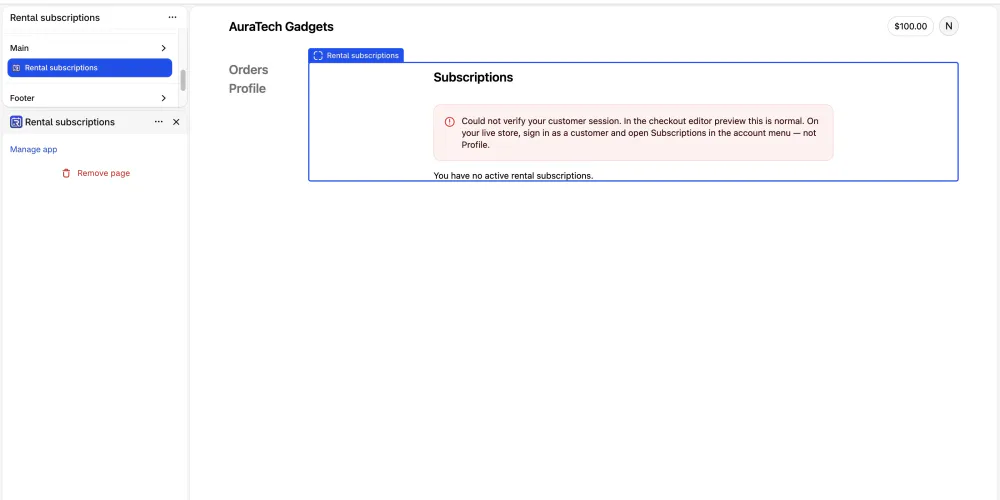
    Add the subscriptions page for Subscribe

    Only needed for Subscribe. In Shopify's customer account editor, add the Rental subscriptions page, then link it in the customer account menu so subscribers can find it.

    • Basic Rent checkout works without them
    Customer account editor with the Rental subscriptions page added and its preview showing the Subscriptions heading
  4. Admin

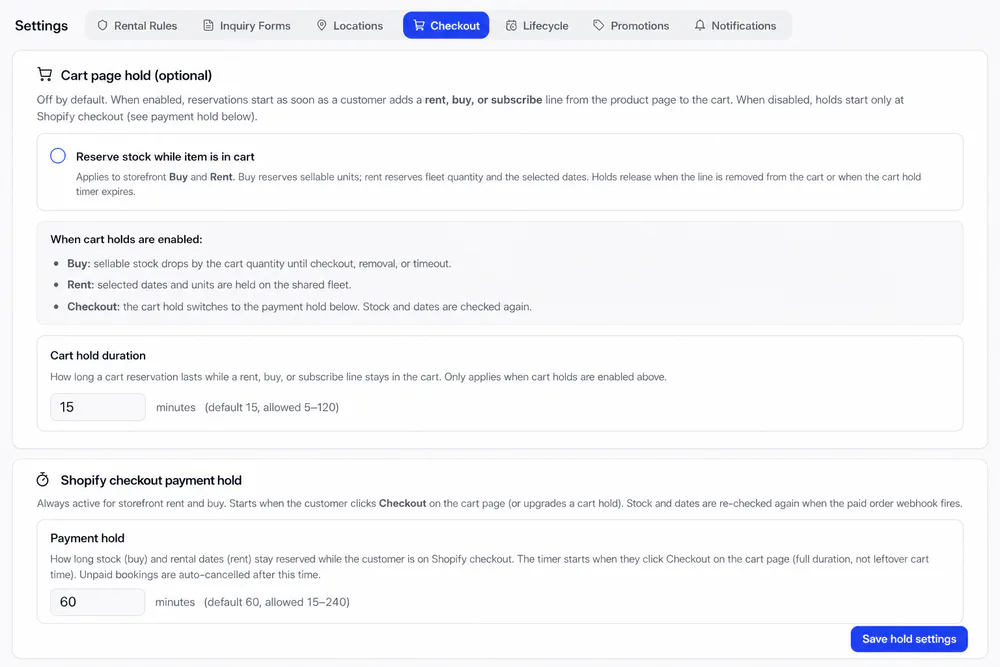
    Hold stock while shoppers pay

    A payment hold keeps stock and dates reserved while the customer is on Shopify checkout. Turn on cart holds on the Checkout tab in Settings to reserve from the cart too.

    • Payment hold: 60 minutes by default
    • Cart hold: off by default, 15 minutes when on
    • Unpaid bookings cancel when the hold ends
    Cart and checkout hold settings

05Rent tab

What shoppers see on the Rent tab

Rates, dates, stock and add-ons come from the product's rental profile, so the page matches what you set in admin.

your-store.com/products/aura-4k-event-projector
Storefront rental product page with Rent and Buy options

06Date picker

A calendar built for rentals

Shoppers see which days are available, limited, booked or blocked before they pick a range. Blocked days can't fall inside a rental, and the allowed rental length shows below the calendar.

Availability

  • Available
  • Limited
  • Booked
  • Blocked

08Highlights

More in Storefront rentals

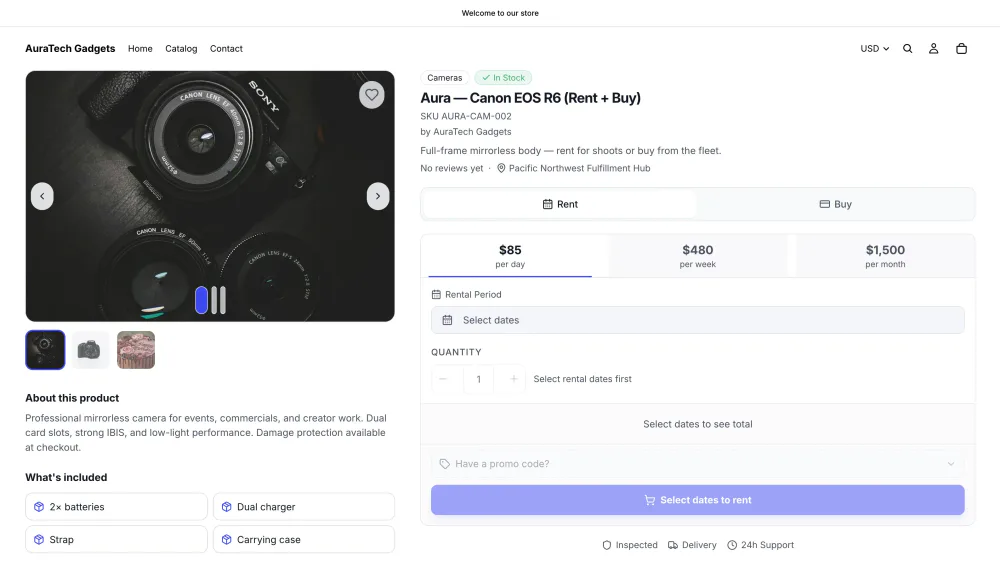
Rent tab on a camera product page with day, week and month rates side by side and the Select dates field

Day, week and month rates

Rates sit side by side. A range of 7 days or more uses the weekly rate, and 30 or more the monthly.

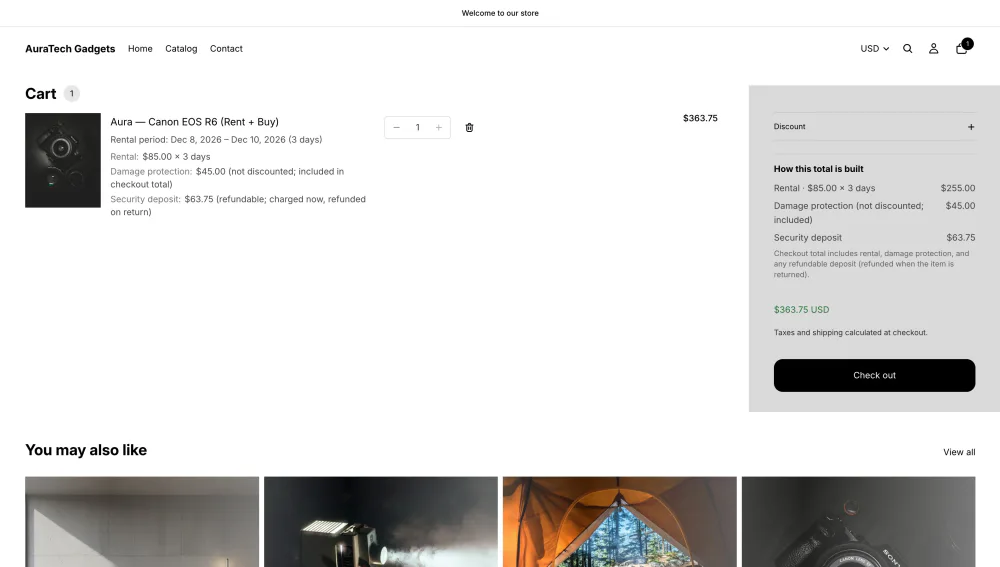
Cart page for a camera rental with the rental dates, damage protection line, refundable security deposit and a breakdown of how the total is built

Security deposit in the total

A fixed or percentage deposit shows as its own line, is paid with the rental and is refunded on return.

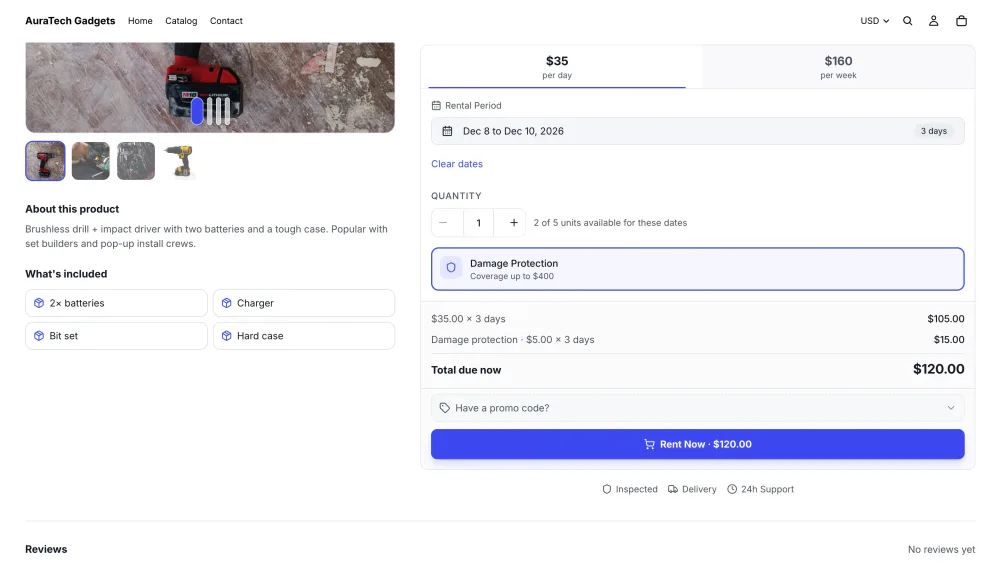
Price lines for a 3 day rental: rate times days, damage protection fee times days and the total due now

Optional damage protection

A fee shoppers can tick, priced per day or as a share of the rental, with your coverage limit beside it.

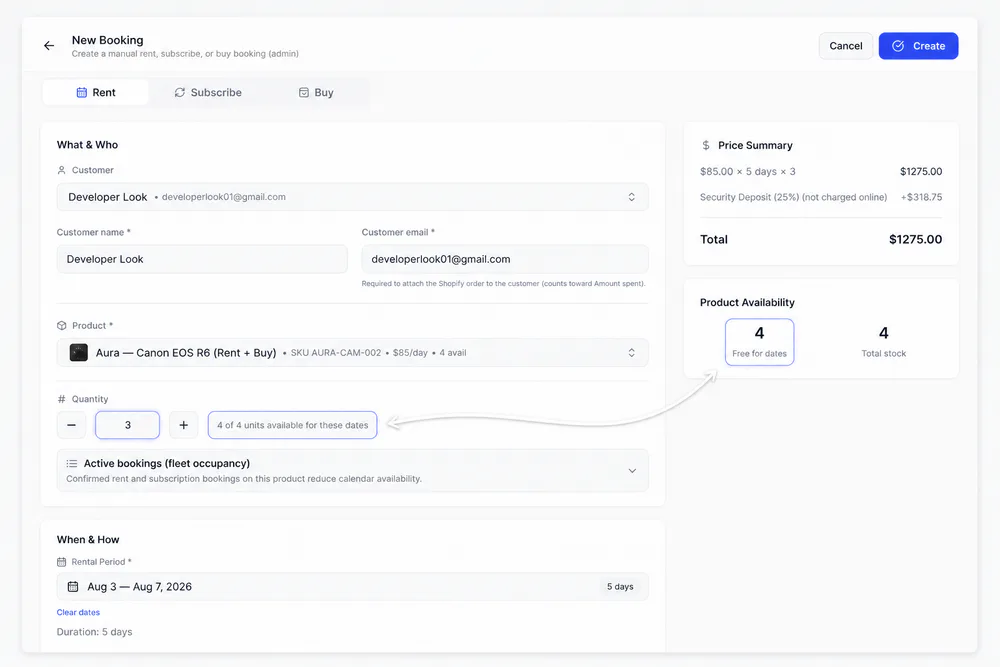
Admin New Booking with stock and availability

Same prices as New Booking

Phone and walk-in bookings in the admin use the same rates, availability and stock caps as the product page.

10FAQ

Storefront rentals questions

Common questions about selling rentals from your product pages with Rental Suite.

Still have questions?

Ask the team that builds the app. We reply within one business day.

What is ecommerce rental software?

Ecommerce rental software lets shoppers rent items from your online store: pick dates, see the price and pay at checkout, with stock tracked by date. Rental Suite does this on your Shopify product pages, so rentals and sales share one store.

Do I need to edit theme code?

Usually not. Add the Rental product page block in the theme editor and switch on the app embeds you need, without touching theme code.

Can one product offer Rent, Buy and Subscribe?

Yes. Turn on the modes you want on the product, and shoppers switch tabs on the same product page. You don't need three separate products. Subscribe is on the Standard plan and up.

Do shoppers see the deposit and damage protection before checkout?

Yes. A security deposit or ticked damage protection shows as its own line under the rental price, and Total due now includes it before the shopper adds the rental to the cart.

How does availability stay accurate?

The product page checks every range against your rental rules, existing bookings and checkout holds: the same checks New Booking uses in the admin.

Where do I set up the storefront?

Open Storefront in Rental Suite. It links to your product template in the theme editor, and you link the products you want to rent under Products.