Set a shop-wide deposit
In Settings, edit the global rule and open its Deposits tab. Enter a default deposit as a percentage of the rental and a maximum in dollars. Category and tag rules can set a different deposit for a group of products.

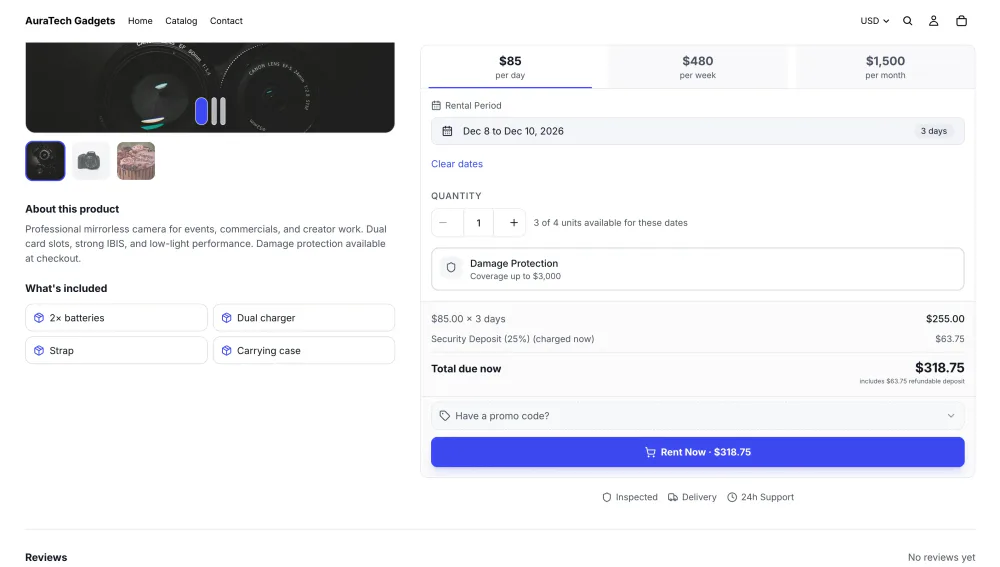
Handing a $2,000 camera to a stranger is easier with money held against it. Rental Suite adds a rental security deposit to the product page total, charges it at checkout with the rental and refunds it through the order when you mark the booking returned.

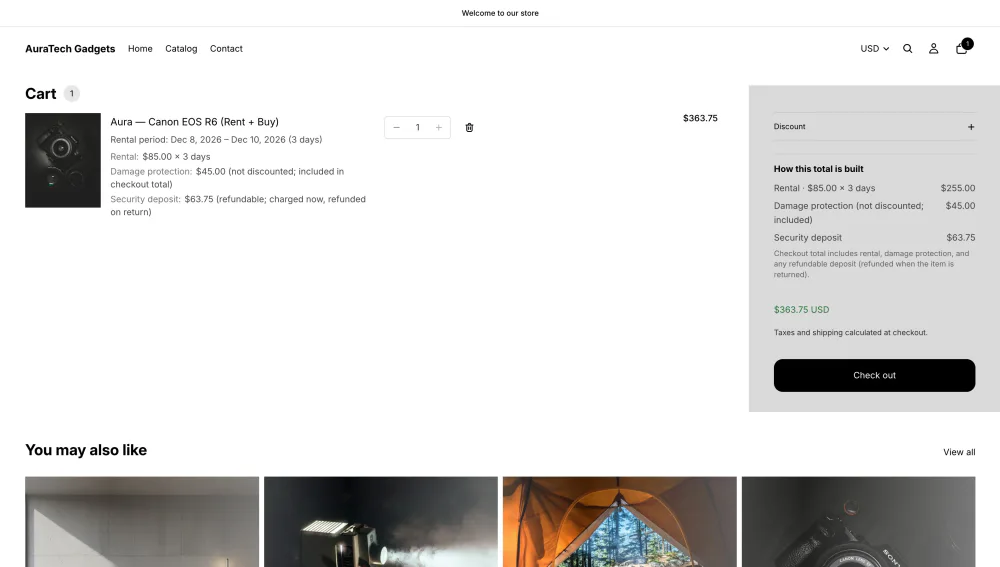
The product page, the cart and New Booking in the admin show the same deposit line.
01See it in action
A short walkthrough in the Rental Suite admin, with voiceover. It plays muted; press Play with sound to hear it from the start.
02Security deposits
Deposits apply to rentals of equipment and gear. Buy orders and quote requests don't carry one.
03How it works
Set the amount once, and every rental of that product takes it, from the website or from your team.
In Settings, edit the global rule and open its Deposits tab. Enter a default deposit as a percentage of the rental and a maximum in dollars. Category and tag rules can set a different deposit for a group of products.

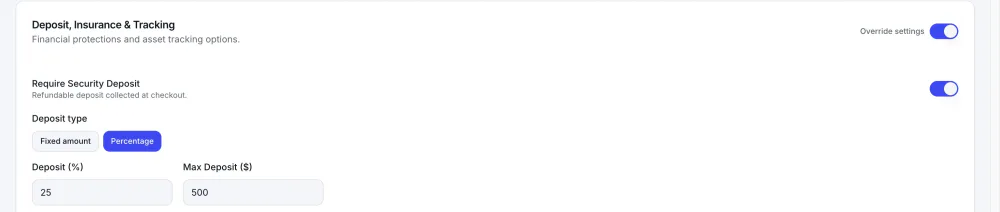
On the product's Availability & Settings tab, switch on Override settings in the deposit card. Choose a fixed amount, or a percentage with a maximum, such as 25% capped at $500.

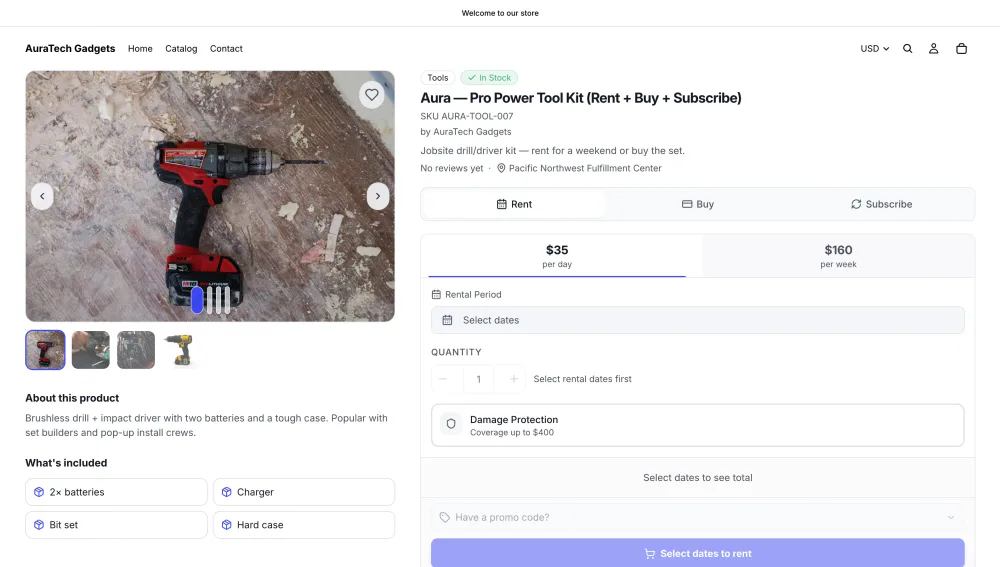
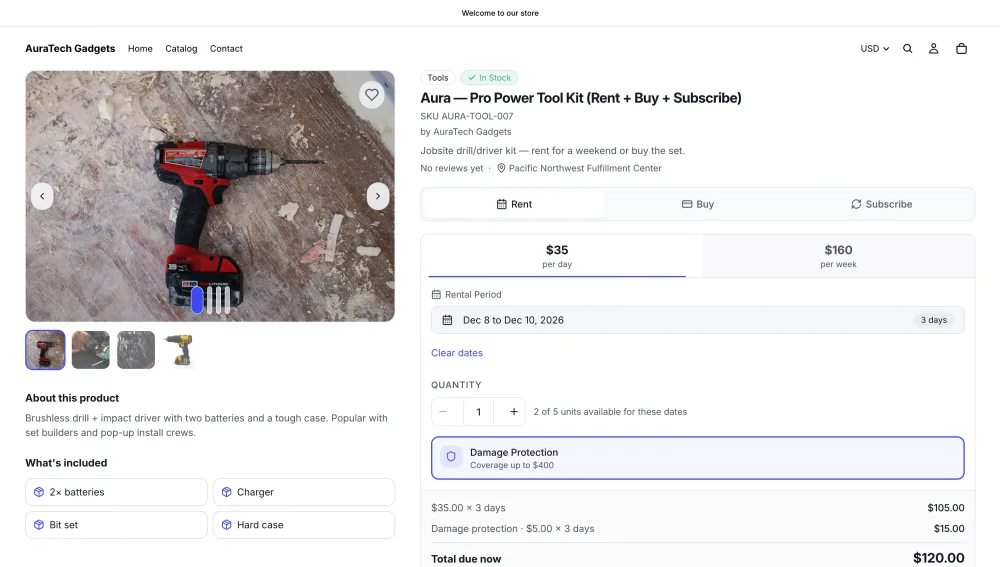
The Rent tab lists the deposit under the rental, marked charged now, and Total due now notes the refundable amount. The cart repeats it as its own line.

04Refund on return
Phone and walk-in bookings from New Booking take the same deposit, and the price summary marks it refunded on return. When you mark a rental returned, Rental Suite refunds the deposit through the order and emails the customer the amount, and the deposit status moves from held to refunded. The full deposit goes back, so inspect the item before you mark it returned.
Status
05Related
06FAQ
Common questions about taking a rental security deposit with Rental Suite.
Ask the team that builds the app. We reply within one business day.
A rental security deposit is money a customer pays on top of the rental price and gets back when the item is returned. Equipment and gear rental shops hold it against damage or an item that doesn't come back.
There's no standard amount: it depends on what the item costs to repair or replace and what your customers will accept. Two common ways are a percentage of the rental with a maximum, or a fixed amount for high-value gear, and Rental Suite supports both.
Yes. When you mark a rental returned, Rental Suite refunds the deposit through the order and emails the customer the amount.
At checkout. The deposit is part of Total due now on the product page and is paid together with the rental.
Yes. The shop default is a percentage with a maximum, and any product can switch on Override settings to take a fixed amount or its own percentage and cap.
Not inside Rental Suite. Marking a rental returned refunds the full deposit, so inspect the item first and settle any damage with the customer separately, or offer damage protection for small accidents.