A quote request form for rentals that turns into a booking

Big jobs and custom kits need a price from you, not a checkout. Rental Suite adds a quote request form to the product page, collects every request on one list, and turns an agreed quote into a booking at the rate you set.

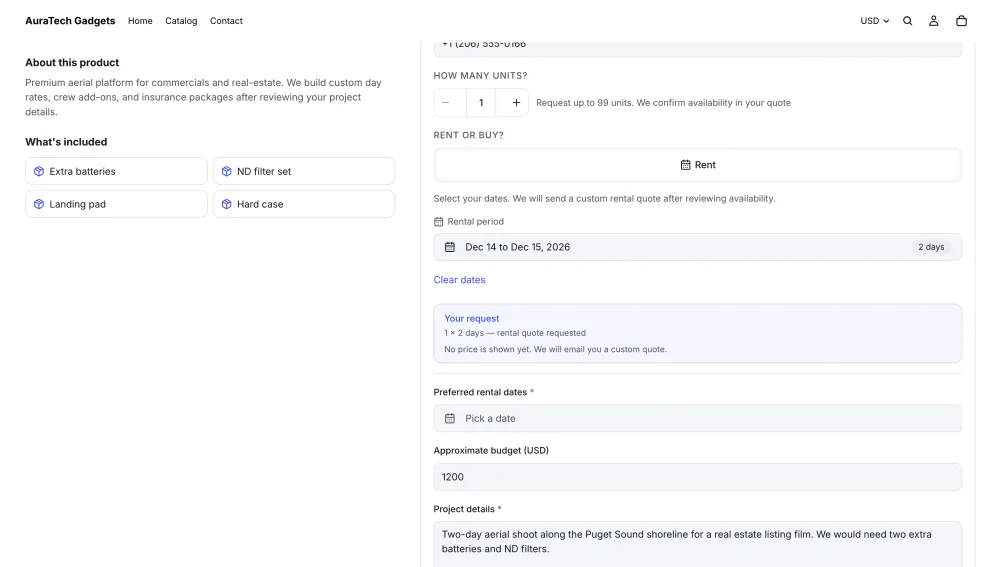
Product page request a quote form filled with a rental period, units, project details and a budget
1Inquiries tab in Bookings
10Field types for your own questions
99Max units per request

Quote requests are on Standard and up, with a 14-day free trial.

01See it in action

See inquiries & quotes in the admin

A short walkthrough in the Rental Suite admin, with voiceover. It plays muted; press Play with sound to hear it from the start.

Read the setup guide

02Quote requests

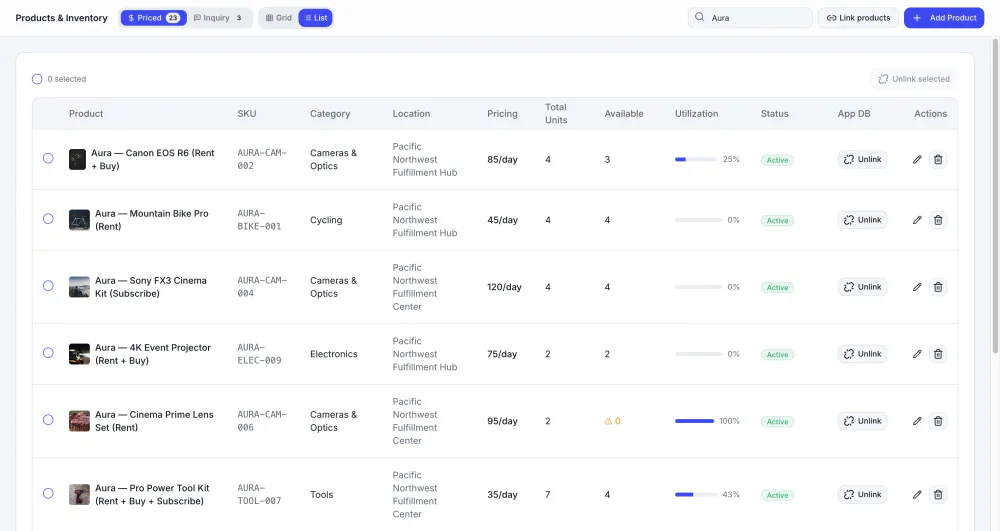
Quote-only products collect requests instead of a checkout. Each request lands on the Inquiries tab, moves from New to Contacted when you reply, then becomes a booking at the rate you agreed.

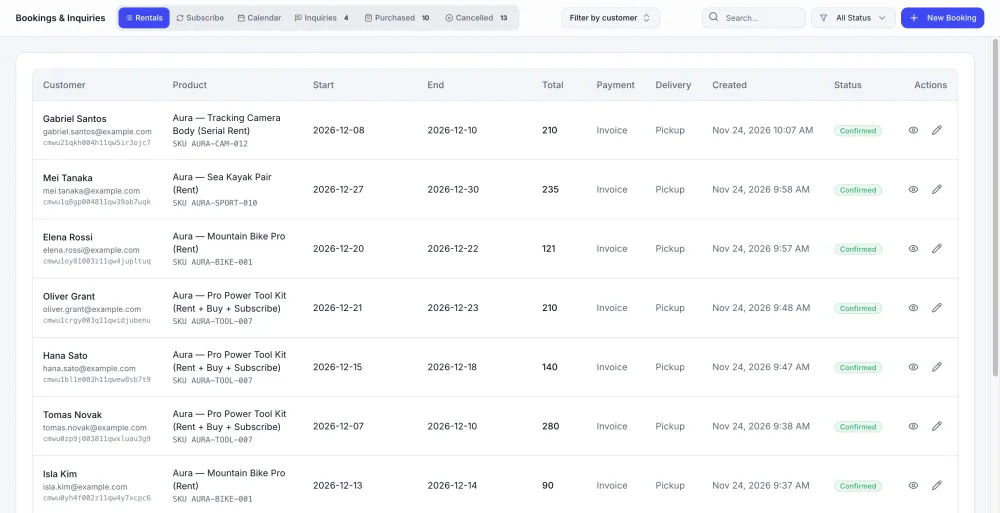
Requests sit beside your rentals in Bookings & Inquiries, and stock stays accurate when a quote becomes a booking.

Inquiries & quotes
  • Inquiry to Rent
  • Request a Quote
  • Inquiries
  • Contact customer
  • Create booking
  • Inquiry Forms

03Quote to booking

From quote request form to confirmed rental

The quote request form on the product page, the Inquiries tab, then Convert inquiry to booking: customer and quote, then dates and fulfillment.

01 · Storefront

Shoppers request a quote

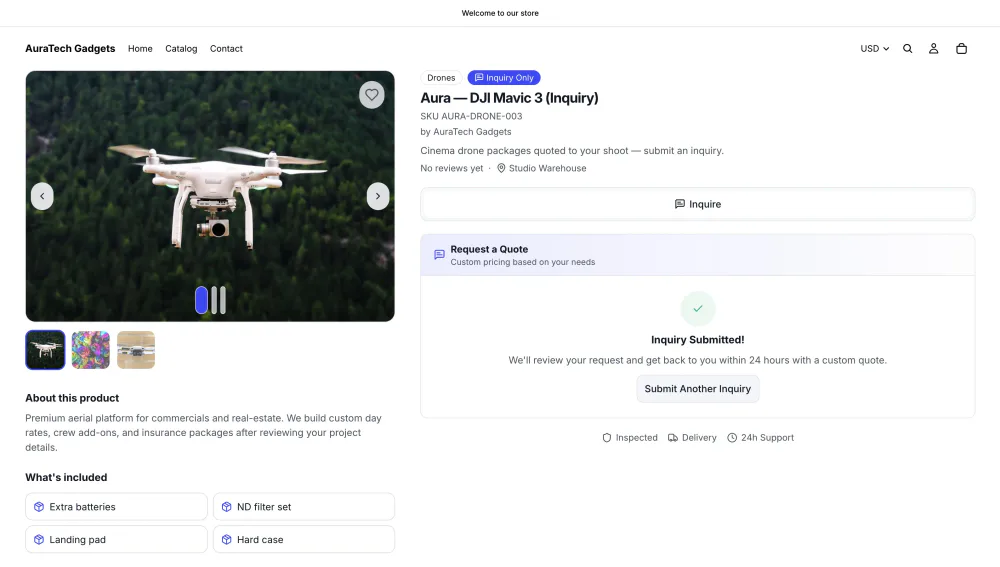
On a quote-only product, the Inquire tab shows Request a Quote: name, email, phone, units and rental dates, plus any questions from your form. After sending, the shopper sees a confirmation.

  • Dates use the same availability calendar
  • Extra fields come from the product's inquiry form
Storefront1 / 4
Product page showing the inquiry submitted confirmation message in the quote request card
02 · Admin

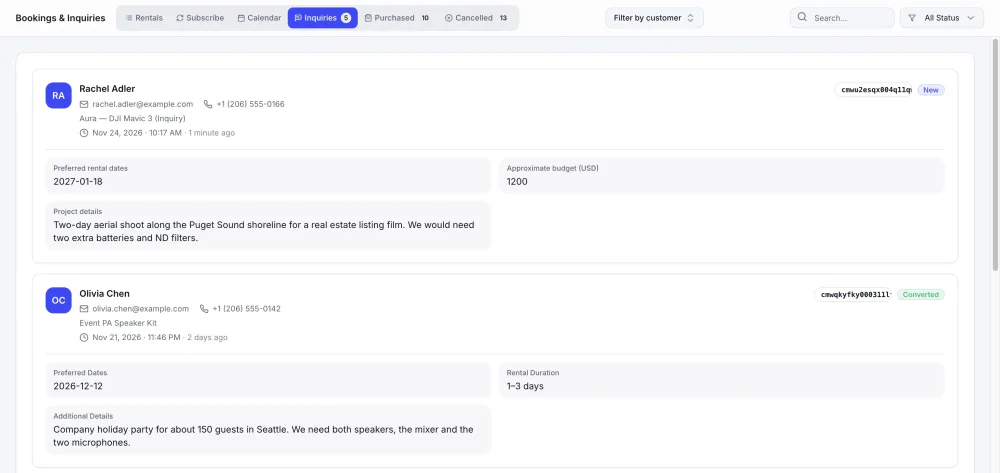
Requests land on the Inquiries tab

Each card shows the customer, product, submit time, status and their answers. Filter by customer or status, then open a request.

Admin2 / 4
Inquiries tab with two requests showing customer, product, preferred dates, budget and project details with New and Converted status
03 · Admin

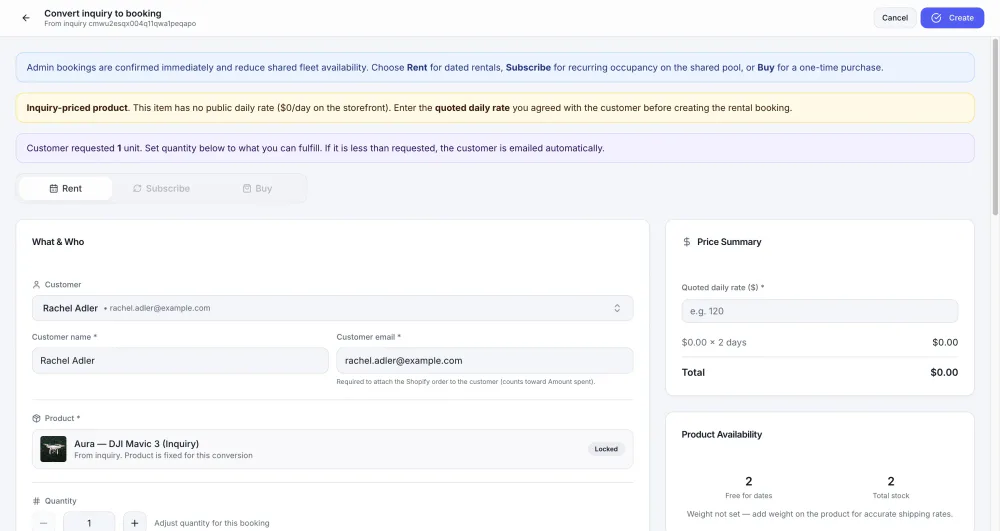
Convert: customer and quote

Once you've contacted the customer, Create booking opens Convert inquiry to booking with the customer filled in and the product locked. Set the units you can fulfill and the quoted daily rate.

  • Book fewer units than requested and the customer is emailed
Admin3 / 4
Convert inquiry to booking form with the customer, locked product and quantity from the inquiry and an empty quoted daily rate
04 · Admin

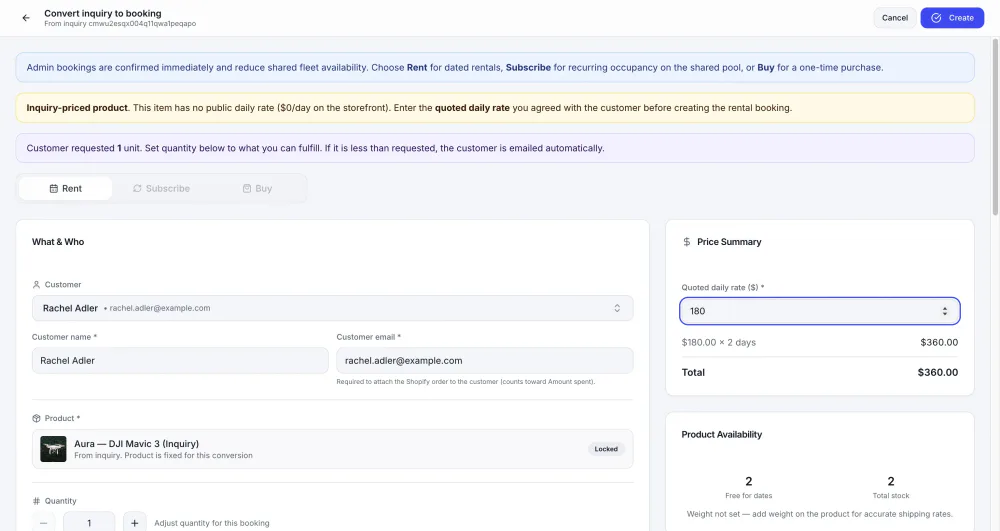
Convert: rate, dates and fulfillment

Enter the quoted daily rate and the price summary works out the total. Pick the rental period, damage protection, payment method and fulfillment, then Create. Admin bookings are confirmed right away.

  • Promotion codes follow storefront checkout rules
Admin4 / 4
Convert inquiry to booking form with a 180 dollar quoted daily rate and the price summary showing 2 days and a 360 dollar total

04Inquiry request

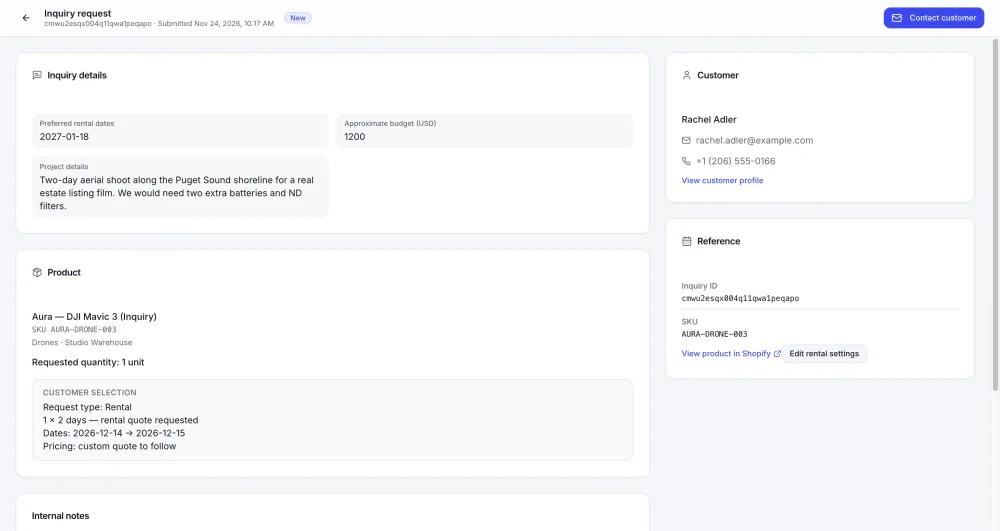
Every rental quote request in one place

Open a request from the Inquiries tab to see the shopper's answers, what they picked and how to reach them, with notes for your team.

admin.shopify.com/store/your-store/apps/rentalsuite/bookings/inquiry-id
Inquiry request detail with the customer, preferred dates, budget, project details, requested product and quantity and the customer selection

05Lifecycle

From request to booking, who hears what

Each stage has its own status, alert or email. You pick the alerts in Settings and switch emails on or off in Email Templates.

  1. Request

    A quote request comes in

    A shopper sends the form on a quote-only product. It lands on the Inquiries tab with the status New.

    New
    In-app alertNew inquiry requestShown under the New booking alert
    Customer emailWe received your inquiry: {{product_name}}Off until you turn it on in Email Templates
  2. Contacted

    You reply to the customer

    Contact customer opens a Gmail draft and marks the request Contacted. Agree on the rate, dates and units by email.

    Contacted
    Gmail draftRe: {{product_name}} inquiryOpens in a new tab, addressed to the customer
  3. Converted

    The quote becomes a booking

    Create booking opens Convert inquiry to booking. Enter the quoted daily rate, dates and fulfillment, then Create. The request links to its booking.

    Converted
    Customer emailUpdate on your inquiry: {{product_name}}Only if the booked quantity differs from the request
  4. Confirmed

    The rental is confirmed

    Admin bookings are confirmed right away and take units from the shared fleet for those dates.

    Confirmed
    Customer emailOrder confirmed: {{product_name}}Sent after a rental booking is confirmed
    In-app alertBooking confirmedIn your notification feed

From here the booking gets the same dispatch, return and cancellation emails as any other rental.

08FAQ

Inquiries & quotes questions

Common questions about inquiries and quotes in Rental Suite.

Still have questions?

Ask the team that builds the app. We reply within one business day.

What is a quote request form?

It's a form a customer fills in to ask for a price instead of buying straight away. In Rental Suite it replaces the checkout on products you mark as quote-only, and it asks for dates, units and any questions you add.

Where do quote requests appear?

On the Inquiries tab in Bookings & Inquiries, in the Rental Suite app. Each request shows the customer, the product, their answers and a status.

Is a quote request the same as a rental checkout?

No. A request takes no payment and holds no stock. The stock is taken when you convert the agreed quote into a booking.

How do I turn a rental quote into a booking?

Open the request and click Contact customer to reply. Once it's Contacted, Create booking opens Convert inquiry to booking: enter the quoted daily rate, dates and fulfillment, then Create.

Can I change the questions on the form?

Yes. Build reusable forms in Settings › Inquiry Forms, then pick one on each quote-only product or start a form from scratch for that product.

Which plans include quote requests?

Standard, Growth and Enterprise. On the Free plan, quote-only products show "Contact the store for a quote" and new requests aren't accepted. Requests you already received are kept. Paid plans start with a 14-day free trial.