
01 · Settings
Create a code
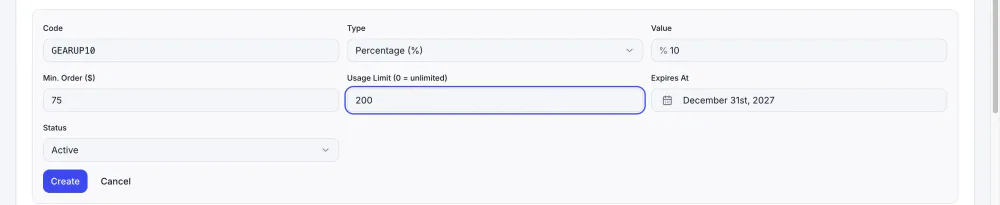
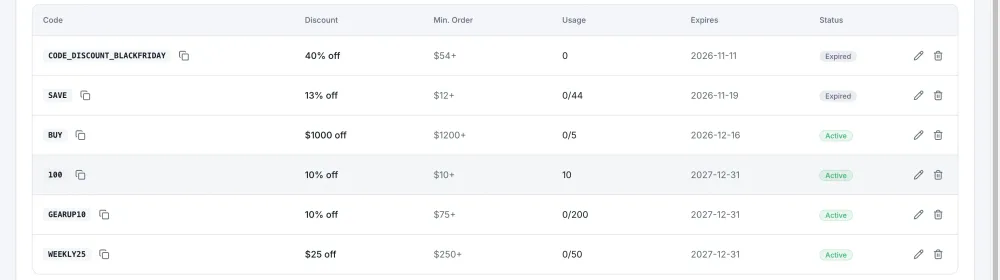
Click New Code and set the code, a percentage or fixed amount, the minimum order, a usage limit (0 for unlimited) and the expiry date. Status can be Active, Expired or Disabled.
Quiet weeks need a reason to book, but a code with no limits can run for months. Rental Suite lets you create rental promo codes with a minimum order, a usage limit and an expiry date, and they work on the product page, in the cart and in New Booking.
Included on every plan, including Free.
01See it in action
A short walkthrough in the Rental Suite admin, with voiceover. It plays muted; press Play with sound to hear it from the start.
02Promotion codes
Each code has a percentage or fixed discount, an expiry date, and an optional minimum order and usage limit.
03How codes work
Create a code in Settings. Shoppers apply it on the product page or in the cart, and staff apply it in New Booking.
Click New Code and set the code, a percentage or fixed amount, the minimum order, a usage limit (0 for unlimited) and the expiry date. Status can be Active, Expired or Disabled.
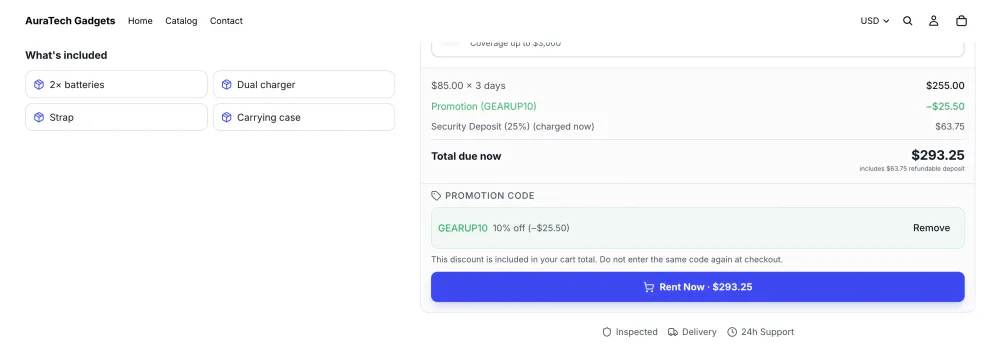
Rent, Buy and Subscribe each have a promotion code field. The discount shows in the price breakdown before the shopper adds to cart, and the deposit and damage protection aren't discounted.
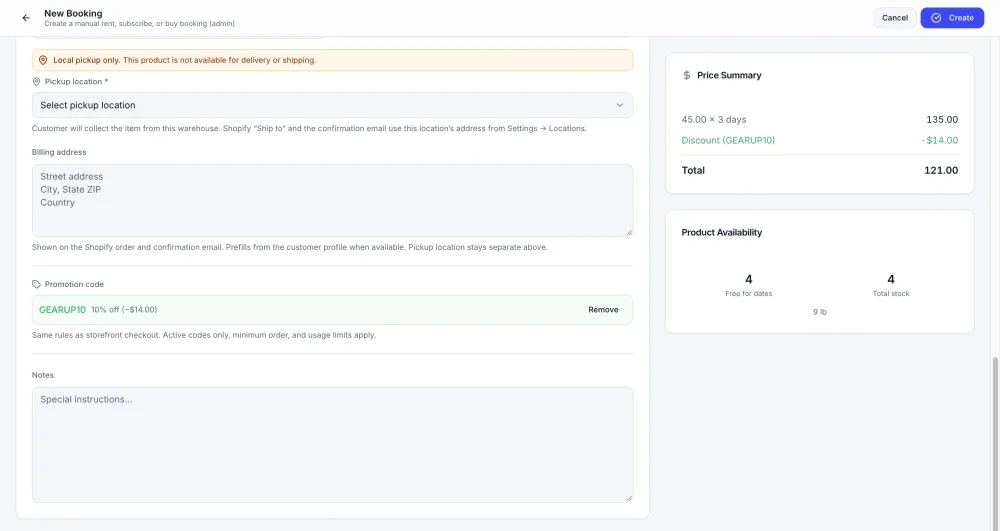
Phone and walk-in bookings get the same Promotion code field, with the same rules as the storefront: active codes only, and the minimum order and usage limit apply.
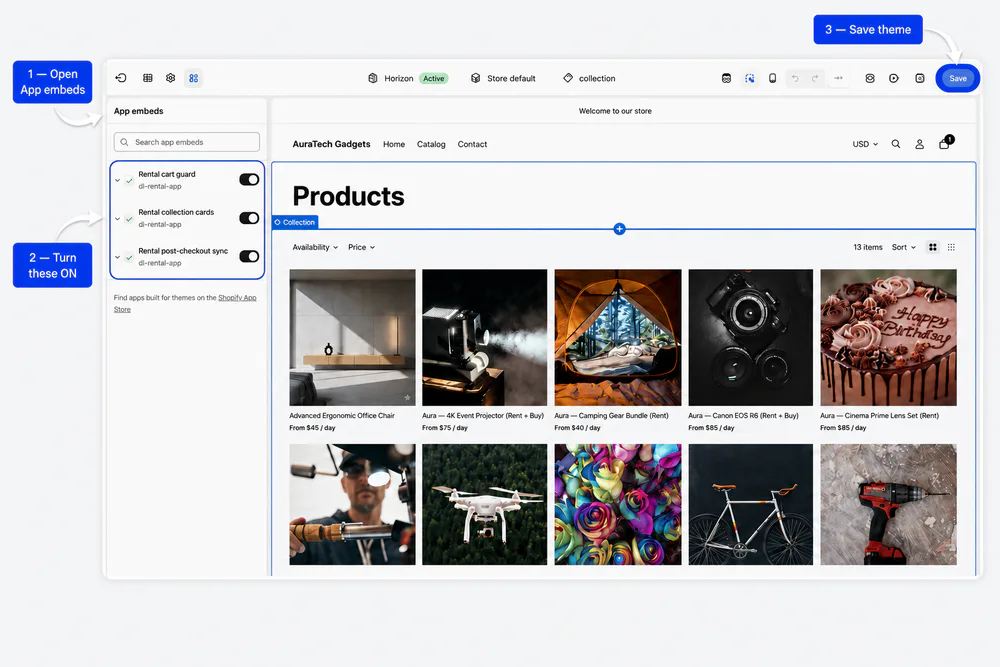
The Rental cart guard app embed locks discounted line prices, syncs quantities and checks the code's terms before checkout.
04Promotions tab
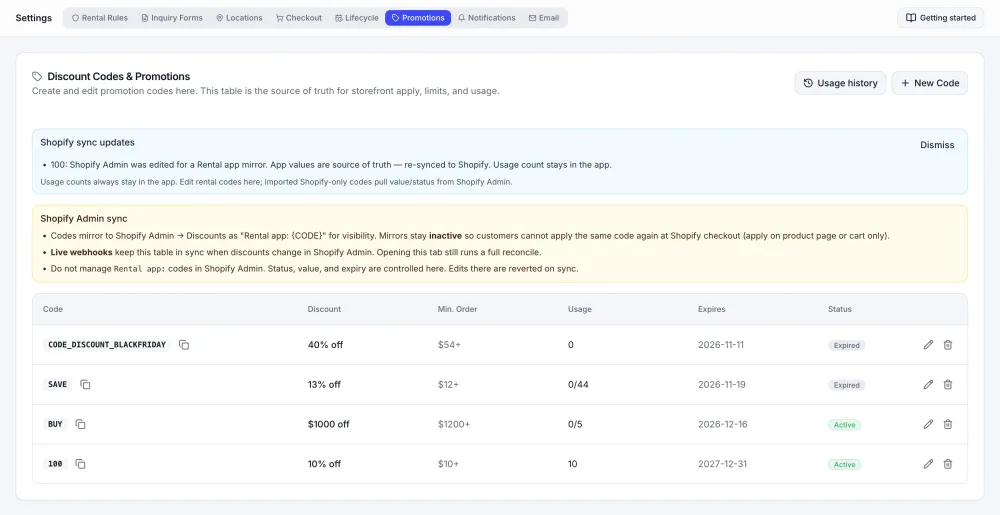
The Promotions tab in Settings is where codes live. The storefront, New Booking, limits and usage all read from this table.
05Usage history
Usage history lists each redemption with the date, the code, whether it came through checkout or an admin booking, the customer, the order or booking, the discount and the total. Export it as CSV for your own records.
06Related
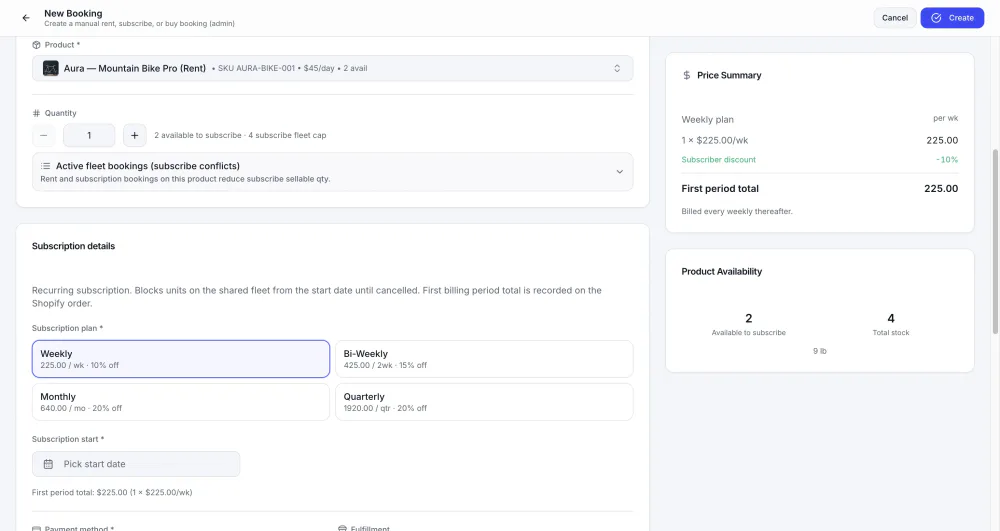
Some customers rent the same item every week and rebook it each time. A rental subscription lets them pick a weekly, bi-weekly, monthly or quarterly plan on your product page instead: they pay the first cycle at checkout, later cycles bill through Shopify, and the unit stays reserved until they cancel and return it.
Learn more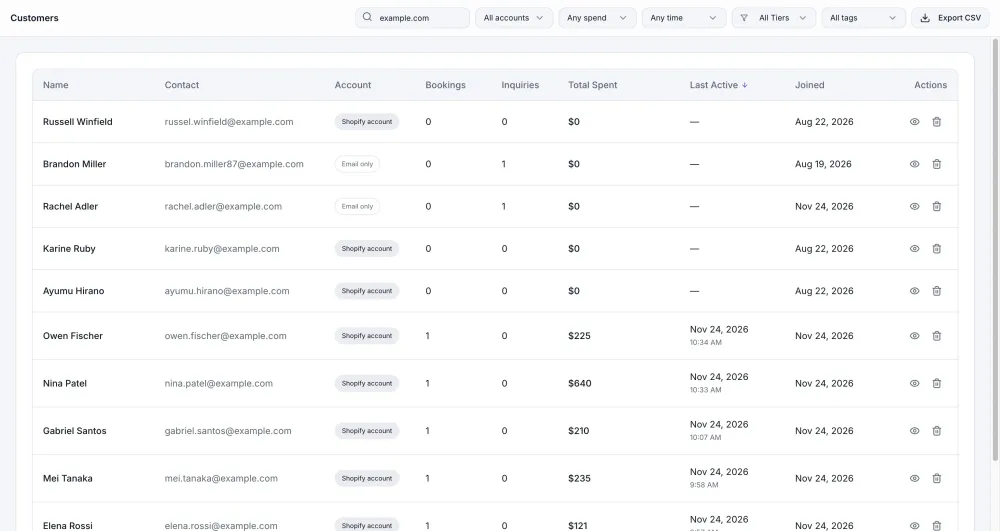
Order lists don't show who keeps coming back or which gear sits on the shelf. Rental Suite gives every renter one profile, and its dashboard turns the same bookings into rental analytics: repeat customers, lifetime value, revenue and utilization.
Learn more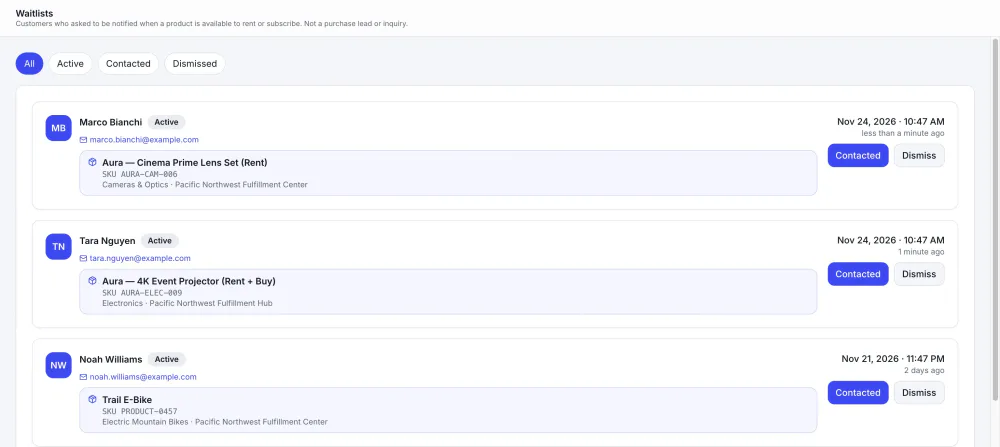
When every unit is out, the shopper usually leaves for good. Rental Suite adds a waitlist app to your rental product page: shoppers join from the heart or a short form, ask to buy when nothing is left to sell, and you follow up from one list.
Learn more07FAQ
Common questions about rental promo codes in Rental Suite.
Ask the team that builds the app. We reply within one business day.
Open Settings, Promotions and click New Code. Enter the code, choose a percentage or a fixed amount, and set the minimum order, usage limit, expiry date and status.
Rental promotions apply discounts directly to the rental line item on the product page and cart. To prevent double discounts, Shopify Admin mirror discounts remain inactive, and the Rental cart guard app embed in Theme Editor keeps cart lines and promo adjustments in sync before checkout.
No. You create and edit them in Rental Suite. Each code also gets an inactive copy in Shopify Admin, Discounts, named "Rental app:" plus the code, so it shows there but checkout won't accept it a second time. Edits made to that copy are put back on the next sync.
Yes. New Booking has a Promotion code field with the same rules as the storefront: active codes only, and the minimum order and usage limit apply.
No. A code changes the price, not the stock. Quantities stay capped by the units free for the chosen dates.
No. The code applies to the rental, purchase or plan price. The security deposit and the damage protection fee are added after the discount.