01 · Storefront
Reviews open after a completed booking
Rent reviews open once the rental is marked returned, Buy once the order is delivered or picked up, and Subscribe with an active or ended subscription. Pending bookings don't qualify yet.
Shoppers trust reviews from people who used the gear. Rental Suite is a product reviews app that opens the review form only after a completed rental, purchase or subscription, holds each review until you approve it, and lets you reply as the store.

Included on every plan, including Free.
01See it in action
A short walkthrough in the Rental Suite admin, with voiceover. It plays muted; press Play with sound to hear it from the start.
02Product reviews
Each review is tagged Rent, Buy or Subscribe, and a customer can leave one per booking type on a product.
03From booking to review
A completed booking opens the review form, your team gets an alert, and you reply and publish from the review's page.
Rent reviews open once the rental is marked returned, Buy once the order is delivered or picked up, and Subscribe with an active or ended subscription. Pending bookings don't qualify yet.
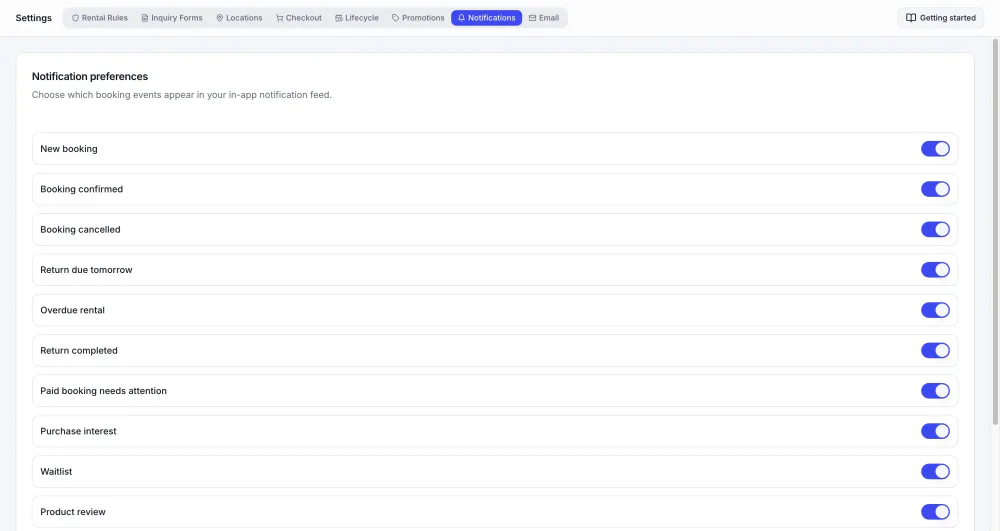
Each review posts a New product review alert with the star rating and booking type. The Product review switch in Settings turns these alerts off.
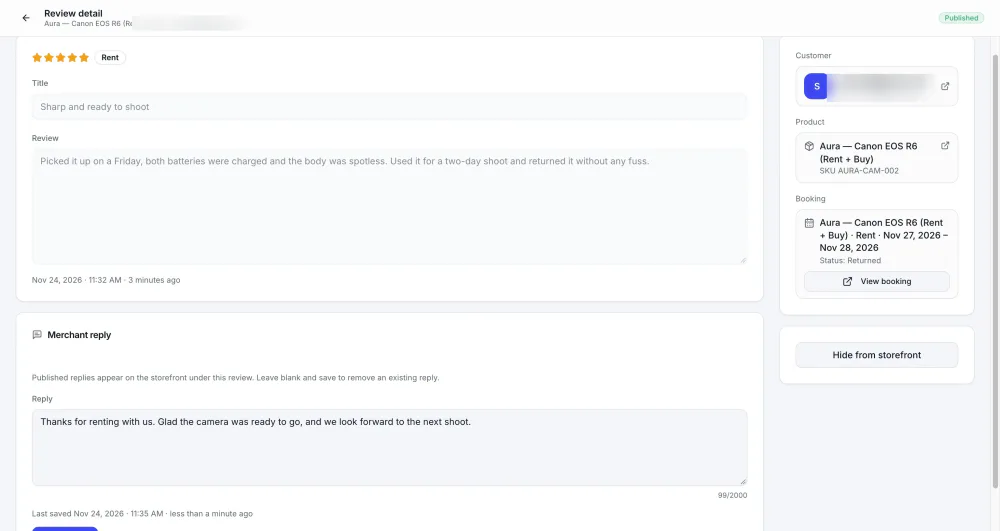
See the customer, product and booking behind the review, then save a public reply of up to 2,000 characters. Publish or hide it from the same page.
04Moderation
Filter the Product reviews list by customer, product or rating. New reviews arrive as Pending approval: publish or hide each one, and Restore sends a hidden review back to pending. Only published reviews count toward the star rating.
Status
05On the product page
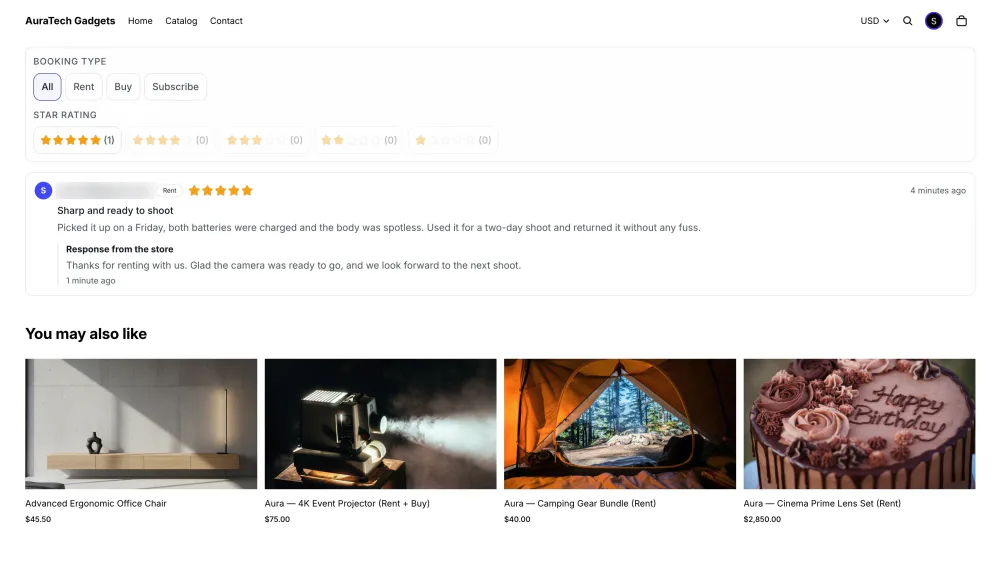
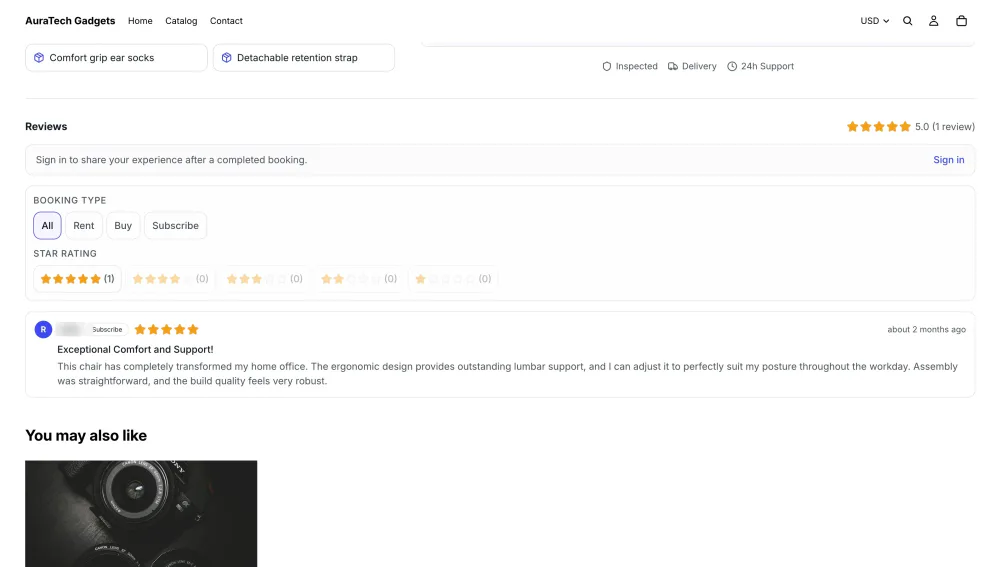
Published reviews appear on the product page with the average rating, two filters and your replies.
07Related
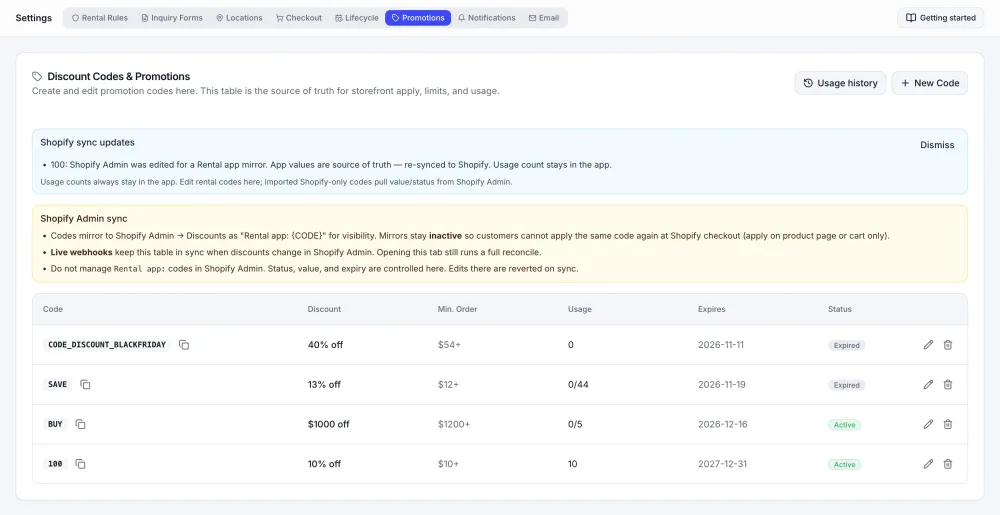
Quiet weeks need a reason to book, but a code with no limits can run for months. Rental Suite lets you create rental promo codes with a minimum order, a usage limit and an expiry date, and they work on the product page, in the cart and in New Booking.
Learn more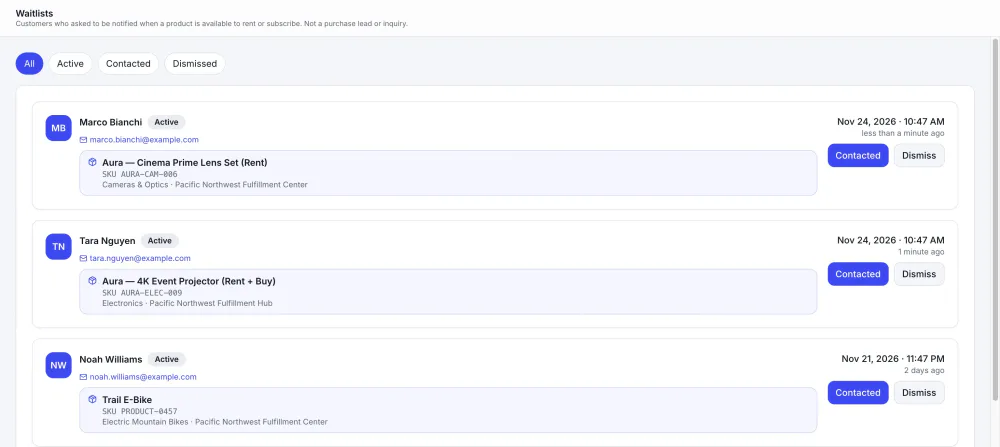
When every unit is out, the shopper usually leaves for good. Rental Suite adds a waitlist app to your rental product page: shoppers join from the heart or a short form, ask to buy when nothing is left to sell, and you follow up from one list.
Learn more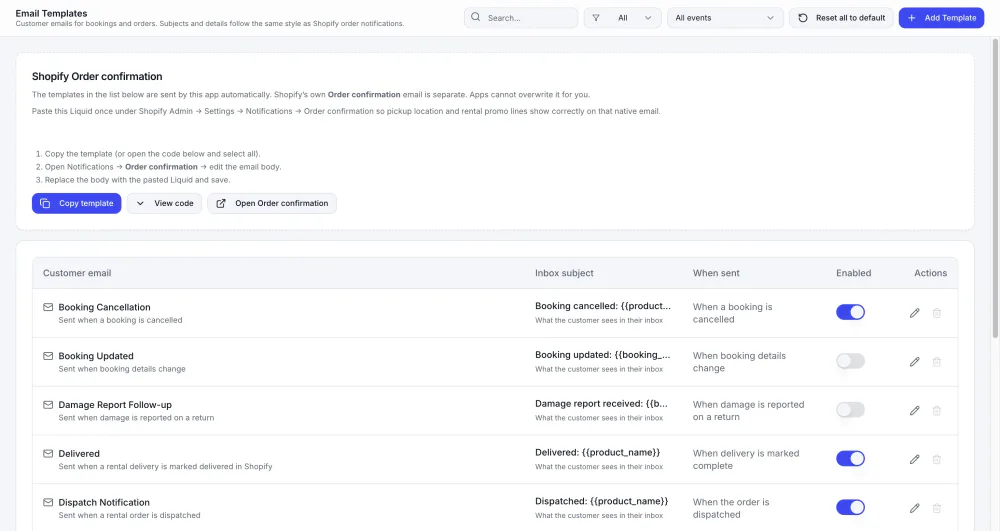
Writing the same confirmation, pickup and return emails by hand takes time you don't have. Rental Suite sends custom email templates at each step of a booking, from your own domain if you like, and posts alerts for your team in the admin.
Learn more08FAQ
Common questions about product reviews in Rental Suite.
Ask the team that builds the app. We reply within one business day.
It collects reviews from your customers and shows them on your product pages. Rental Suite only accepts reviews from customers with a completed booking, and you approve each one first.
After a completed booking: a rental marked returned, a purchase delivered or picked up, or a subscription that's active or has ended. They need to be signed in to your store.
No. Every new review waits in Pending approval until you publish it from the Product reviews page.
Yes. Open a review, write a reply of up to 2,000 characters and save. It appears under the review on the product page as a response from the store.
No. The text stays as the customer wrote it. You can hide a review so it leaves the product page, and restore it later.
Every plan, including Free.