Product reviews

Verified reviews from customers who completed a booking

A review from someone who never rented the tent tells the next shopper nothing. Rental Suite opens the review form only to signed-in customers whose booking for that product is finished, and tags each review Rent, Buy or Subscribe.

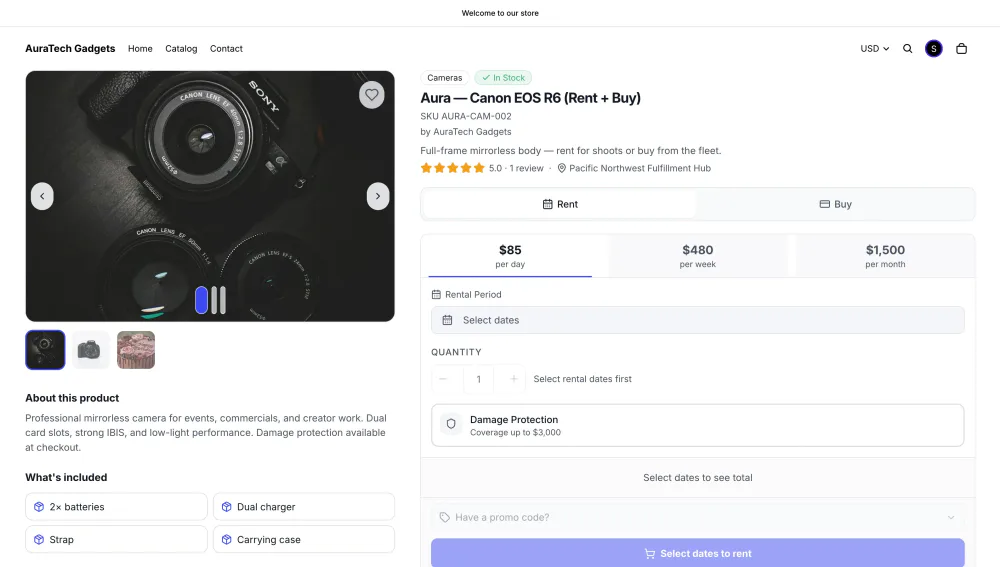
Camera product page with a 5.0 star rating from one review shown under the product title

01See it in action

See verified reviews in the admin

A short walkthrough in the Rental Suite admin, with voiceover. It plays muted; press Play with sound to hear it from the start.

Read the setup guide

02Overview

Verified reviews in Rental Suite

Verified reviews come only from people who used the product. In Rental Suite that means a signed-in customer with a completed booking for it: a rental marked returned, a purchase delivered or picked up, or a subscription that's active or has ended.

The review form sits in the Reviews section of your rental product page and opens once the customer qualifies. Each review carries its booking type, so shoppers can read only what renters said, or only buyers.

Nothing goes live by itself. New reviews wait in Pending approval until you publish them.

Who can leave a verified review

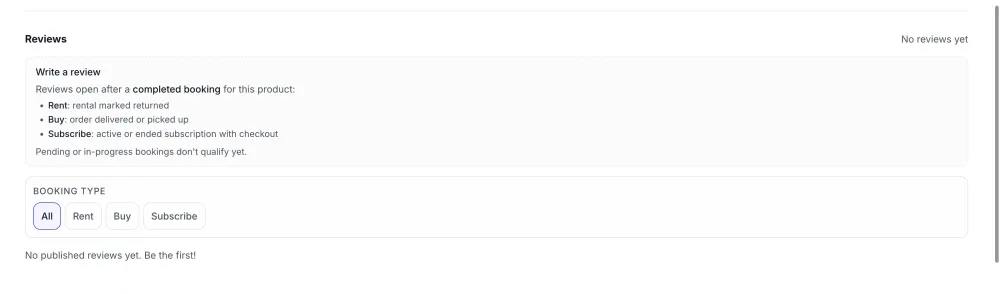
The review form checks the customer's bookings for that product. A booking that's still pending or in progress doesn't count yet, and the form says what's needed instead.

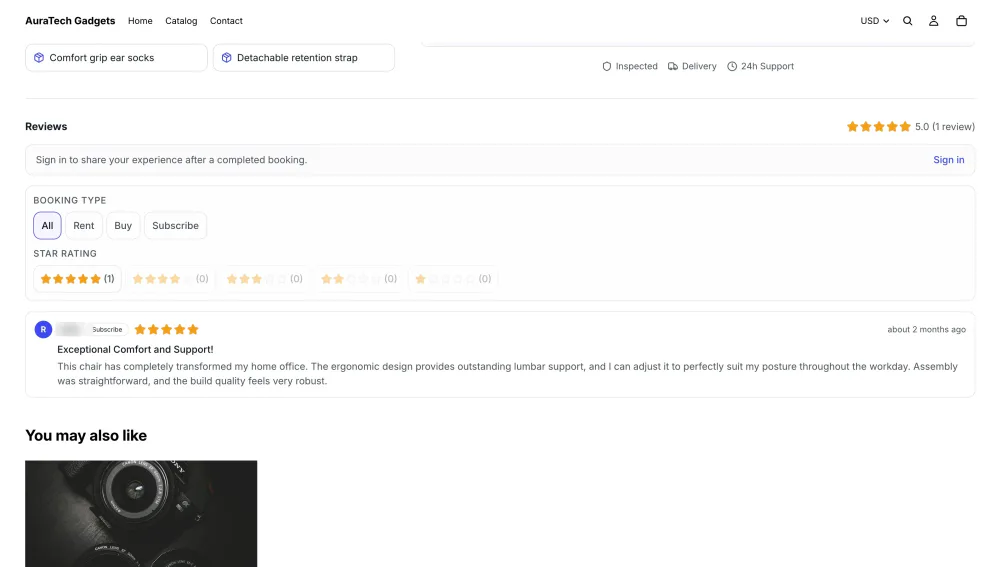
Shoppers who aren't signed in see Sign in to share your experience after a completed booking, with a link to your store's login. Rental Suite matches the review to the customer and the booking, so you can see who wrote it.

  • Rent: the rental is marked returned
  • Buy: the order is delivered or picked up
  • Subscribe: the subscription is active or has ended
Rental Suite
Reviews section of a product page with the average rating, the sign-in prompt for completed bookings and the booking type and star filters

One verified customer review per booking type

A customer can review a product once for each way they used it: once as a renter, once as a buyer and once as a subscriber. The review is tagged with that type, so a renter's view of a camera doesn't read like a buyer's.

After sending, the customer sees their own review with its status, such as waiting for approval or published, and your reply when you write one. When they've reviewed every type they qualify for, the form says so instead of asking again.

Rental Suite
Reviews block on a product page with the Write a review rules for Rent, Buy and Subscribe bookings and the booking type filter

What a verified review holds

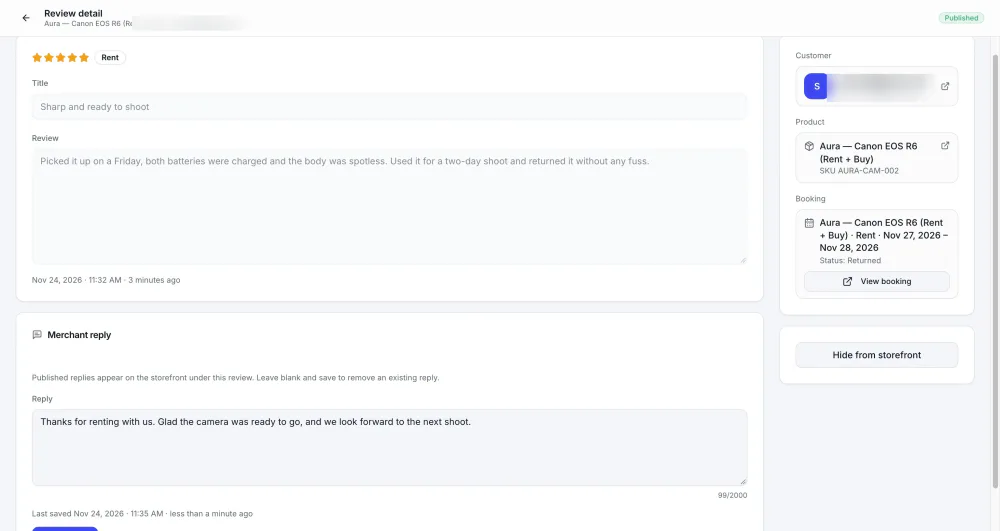
Each review has a star rating from 1 to 5, an optional title and the review itself. The form keeps it readable: the title is up to 120 characters and the review between 10 and 2,000.

Web links aren't accepted, which keeps out the usual spam. On the product page the review shows the customer's first name only, not their email or full name.

  • Star rating from 1 to 5
  • Optional title, up to 120 characters
  • Review text from 10 to 2,000 characters
  • First name only on the product page
Rental Suite
Review page in the app showing a five star rent review with its title and text, the customer, product and returned booking

Reviews from completed orders wait for your approval

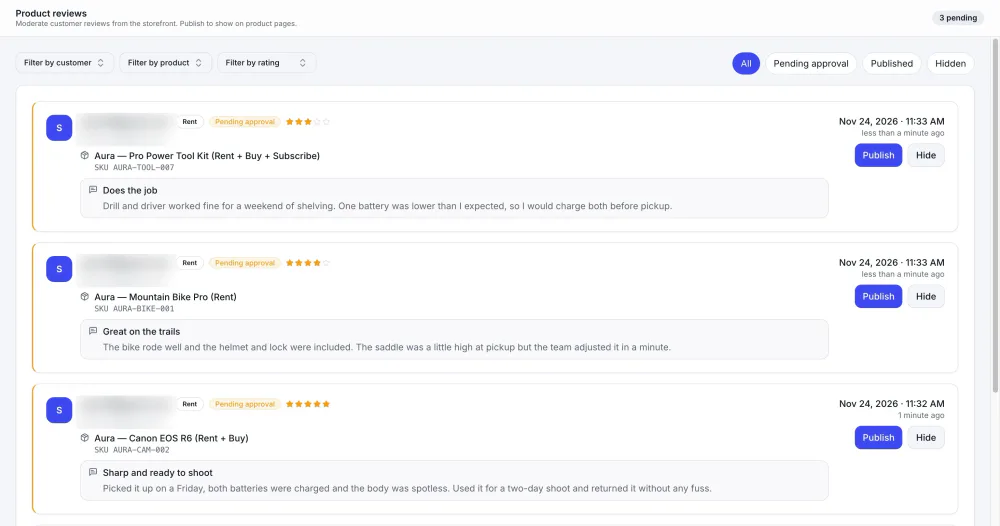
A new review lands on the Product reviews page as Pending approval. Your team gets a New product review alert in the app with the star rating and the booking type, and it opens the review.

Publish it and it appears on the product page. The Product review switch in Settings turns these alerts off if you'd rather check the list yourself.

Rental Suite
Product reviews page with three new rent reviews pending approval, each with its stars, product, title and text and Publish and Hide buttons

Where verified reviews show

Published reviews appear in the rental product page block you already use, so there's no extra widget to install. The average rating and the number of reviews sit under the product title.

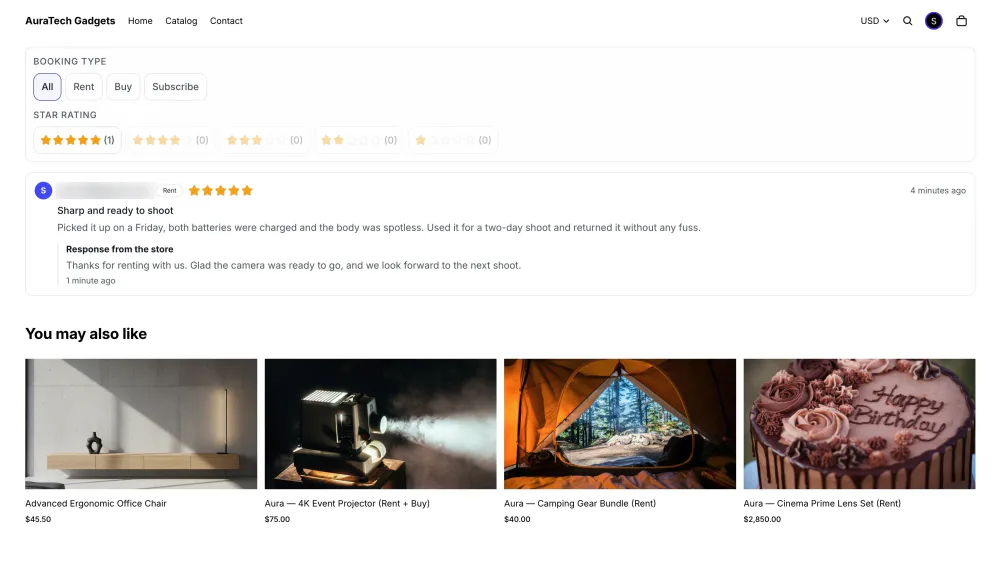
Lower down, the Reviews section lists each review with its booking type and stars, plus two filters: booking type and star rating, each star level with its count. Your reply shows under the review it answers.

Rental Suite
Reviews section of a camera product page with booking type and star rating filters, a five star rent review and a response from the store

03How it works

Set up verified reviews in 4 steps

The steps a merchant takes in the Rental Suite admin, in order.

Read the setup guide

  1. Use the rental product page block

    Reviews live in the same theme block as your booking panel, so there's nothing extra to add.

  2. Let the booking finish

    Mark the rental returned, or complete the purchase or subscription. The review form opens for that customer.

  3. The customer writes the review

    Signed in on the product page, they pick the booking type, the stars and write the review.

  4. Publish it

    Open Product reviews in the app, read it and click Publish on storefront.

05Get started

Try verified reviews on your store

Install Rental Suite, then turn on verified reviews in the admin. The setup guide walks through each screen.

06FAQ

Verified reviews questions

Answers to common questions about verified reviews in Rental Suite.

Still have questions?

Ask the team that builds the app. We reply within one business day.

What are verified reviews?

Verified reviews are reviews from people who really used the product. In Rental Suite only customers with a completed rental, purchase or subscription for that product can leave one.

When can a renter leave a review?

Once the rental is marked returned. Before that the form explains which bookings qualify, and pending or in-progress bookings don't.

Can a shopper review without an account?

No. The customer signs in to your store, and Rental Suite checks their bookings for that product before it shows the form.

Do verified buyer reviews go live straight away?

No. Every new review waits in Pending approval until you publish it from the Product reviews page.

Does Rental Suite email customers to ask for a review?

No. There's no review request email. Customers who qualify see the review form when they're signed in on the product page.

Which plans include product reviews?

Every plan, including Free.