
Free planRental booking app for Shopify
Rent out your cameras without double bookings.
Shoppers pick dates on your product page and pay the rent and deposit at Shopify checkout. Every booking lands on one calendar, booked units drop out of availability, and your first 20 rental bookings each month are free.
Purpose-built for equipment, cameras, bikes, and any fleet you rent or sell on Shopify.
Built to rent out
- Cameras & lenses
- E-bikes
- Projectors
- Drones
- Camping gear
- Kayaks
- Power tools
- Event & AV kits
- Office furniture
01Why Rental Suite
Shoppers pick dates on your product page. Every booking, from checkout or from your team in admin, comes off the same stock, so one unit can't be booked twice for the same dates.
Rent, sell and subscribe from one product page, and run every booking from one app inside Shopify admin. Setup is one theme block, not custom code.
The rental loop
Pick dates
Shoppers see open, limited and blocked days before they choose a range.
Hold stock
Cart and payment holds reserve the units while checkout finishes.
Hand over
Pickup, delivery or shipping, set on every booking.
Return
Return reminders go out, then the units go back on the calendar.
3
Modes on one product
20
Free bookings a month
14
Day free trial
10
Feature areas in one app
02Rental modes
Earn from the same item four ways
Rent it by date, rent it by subscription, quote it for big jobs or sell it outright. Every mode draws on the same stock, so a unit out on rent can't be sold twice.
One fleet behind every mode
Rentals hold units only for the dates they are booked.
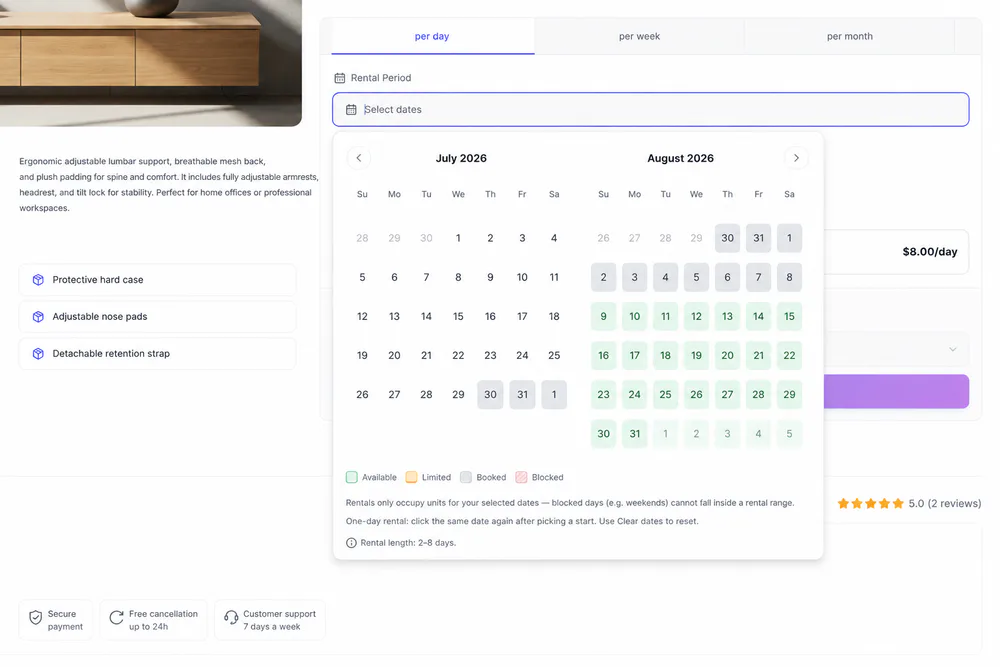
Shoppers pick rental dates on the product page. Availability, holds and pricing update from your rental profile.
- Day, week and month rates
- Live availability calendar
- Optional damage protection
- Cart holds
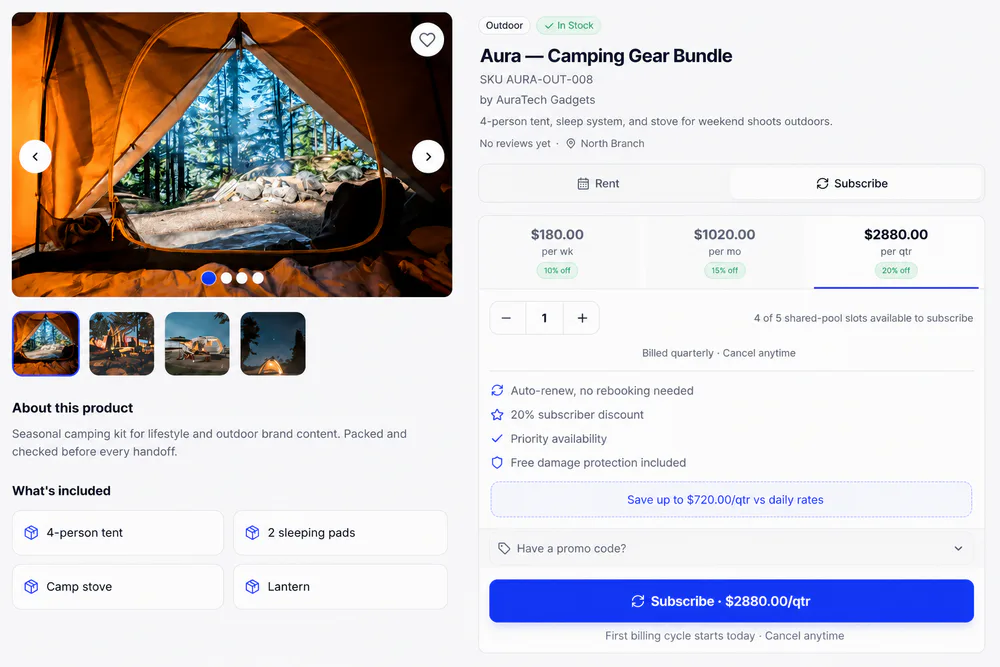
Offer ongoing rentals with Shopify subscription contracts and a customer account portal.
- Weekly, monthly or quarterly
- Admin subscribe bookings
- Customer accounts
- Shopify purchase options
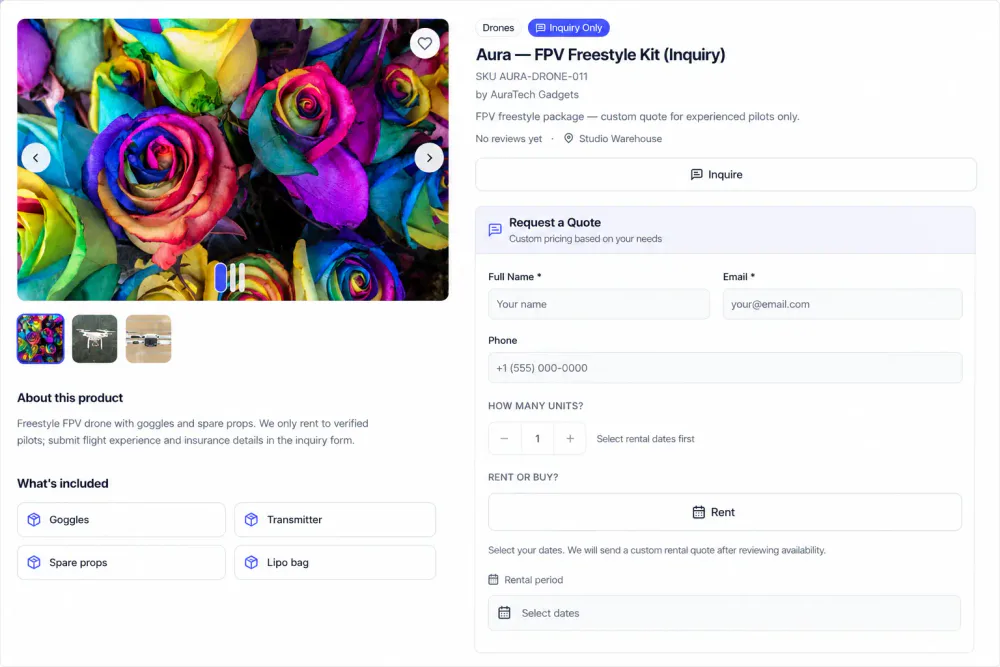
Quote-only products show Request a Quote instead of checkout. Requests land on the Inquiries tab, and accepted quotes convert into bookings.
- Request a quote form
- Inquiries tab
- Quoted rate carries over
- Convert in two steps
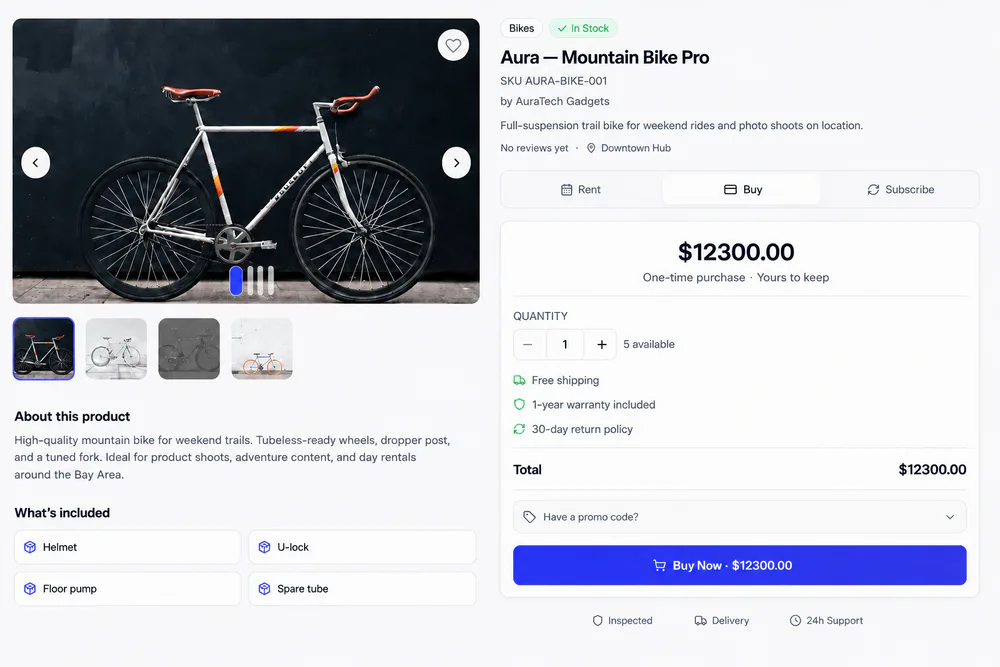
Sell units from shared or buy-only inventory without a second product setup. Purchases come out of the same fleet.
- Buy tab beside Rent
- Serial-tracked units
- Purchase leads when out of stock
- Purchased orders in admin
03All features
Run your whole rental shop from Shopify admin
Your product page, bookings calendar, fleet, renters and quotes in one app, so you stop juggling spreadsheets, inboxes and a separate booking tool.
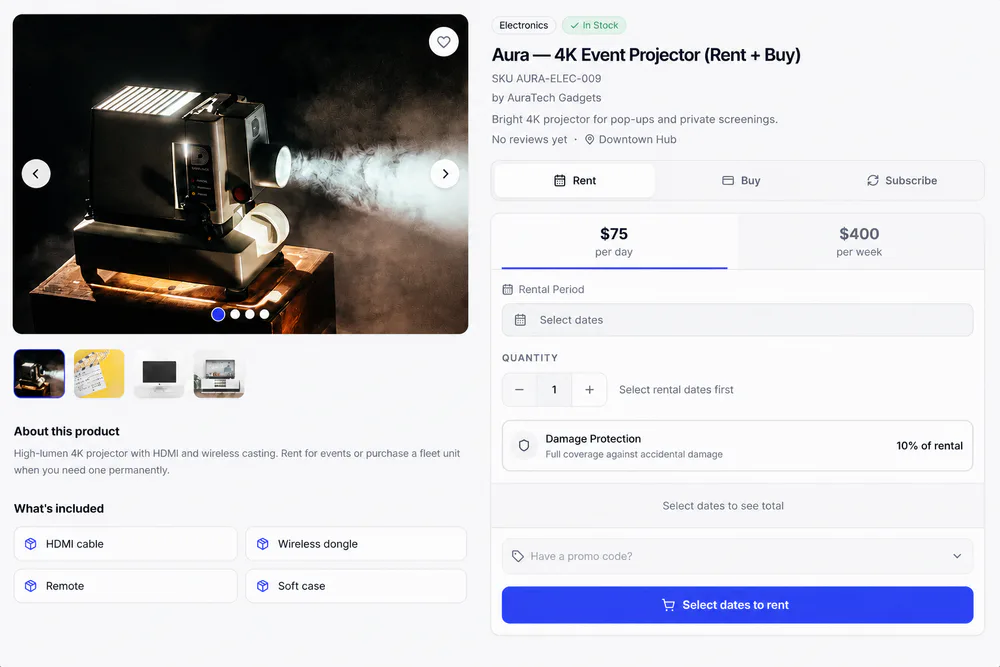
Storefront rentals
Rent, Buy and Subscribe on the product page, with live availability and clear rates.
- Product page block
- Damage protection
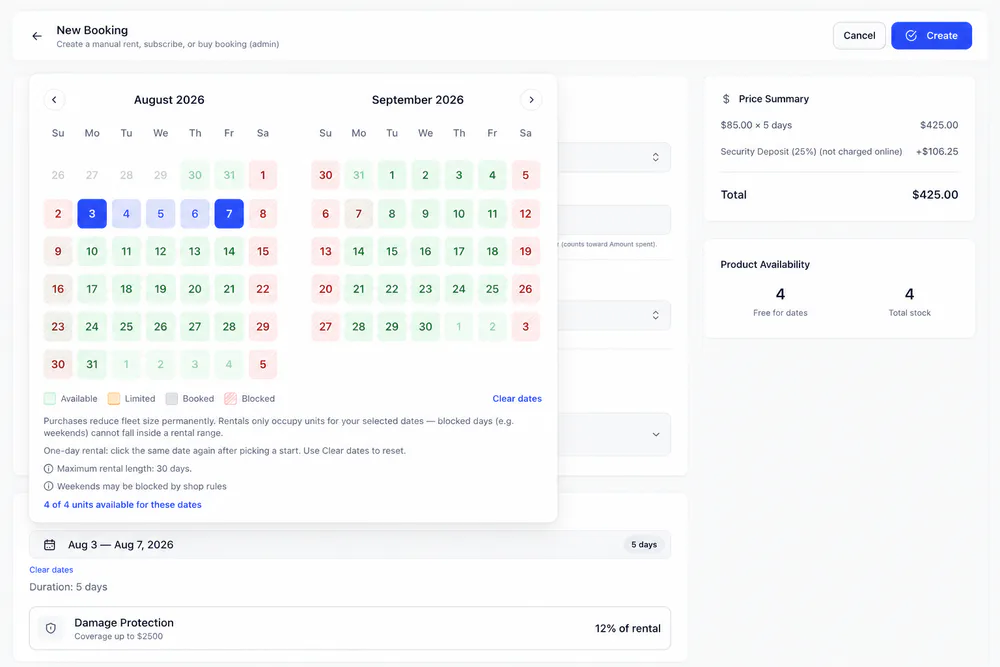
Bookings & calendar
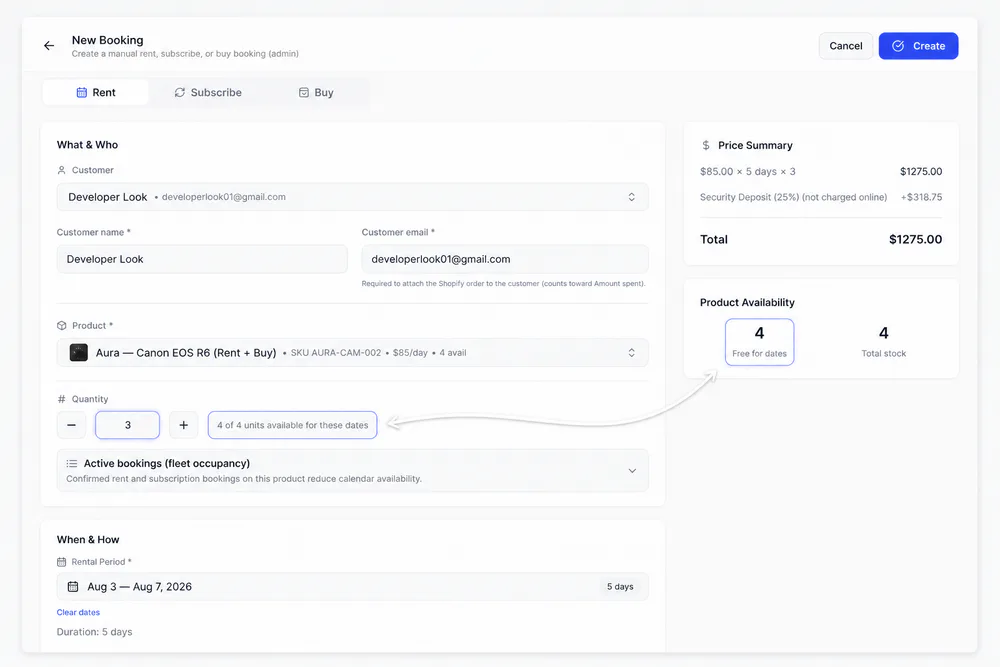
One Bookings hub, a calendar, and New Booking with stock that matches the storefront.
- Calendar
- New Booking
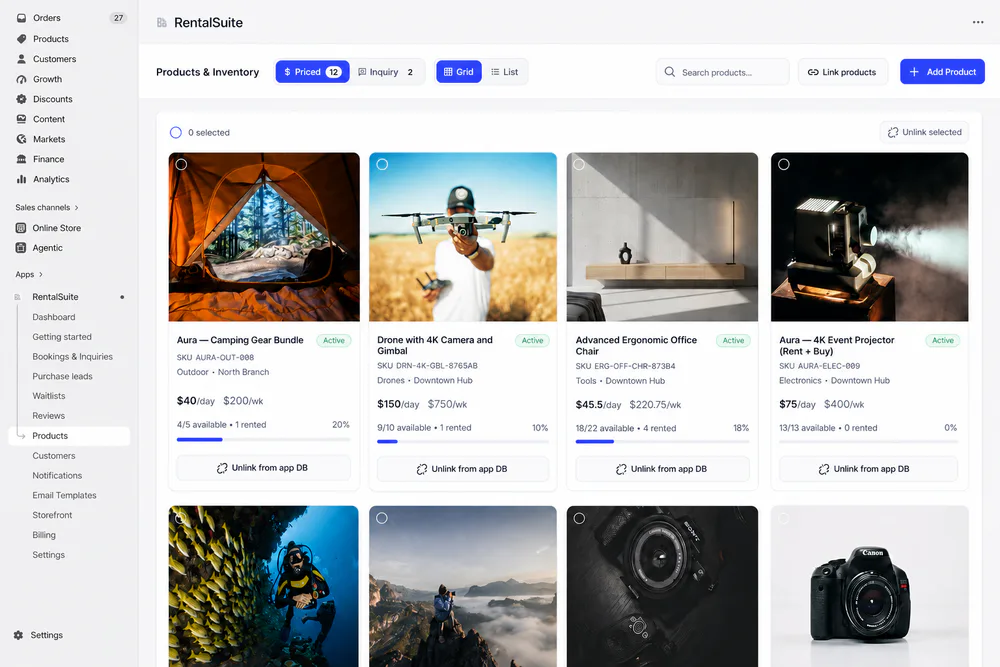
Products & inventory
Link Shopify products, set their modes, and track fleet or serial stock.
- Serial units
- Availability rules
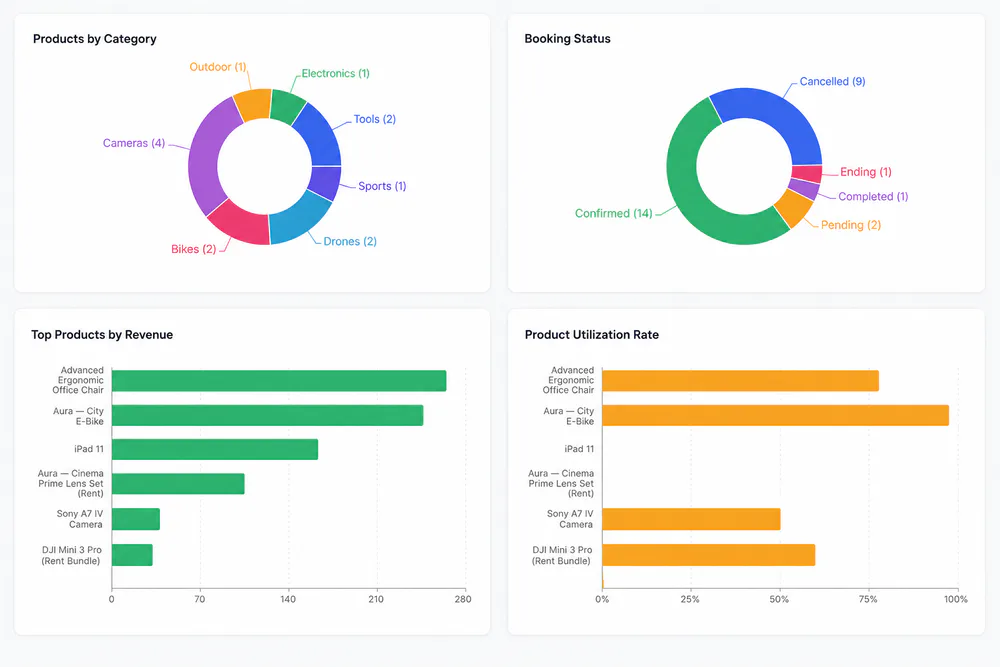
Customers & analytics
See who rents, what earns, and how hard your fleet works.
- Customer profiles
- Utilization
Inquiries & quotes
Quote-only products collect requests that you convert into bookings.
- Request a quote
- Convert to booking
Subscriptions, promo codes, waitlists, reviews from completed rentals and automatic emails, in the same app. Subscriptions and waitlists come with Standard and up.
04Inventory protection
Stop double bookings before they reach checkout
Cart holds and payment holds reserve the units while a shopper checks out, so two people can't pay for the last unit on the same dates.
See storefront features
- Dates picked
- Cart hold
- Payment hold
- Booked
05Dashboard
See what earns and what sits on the shelf
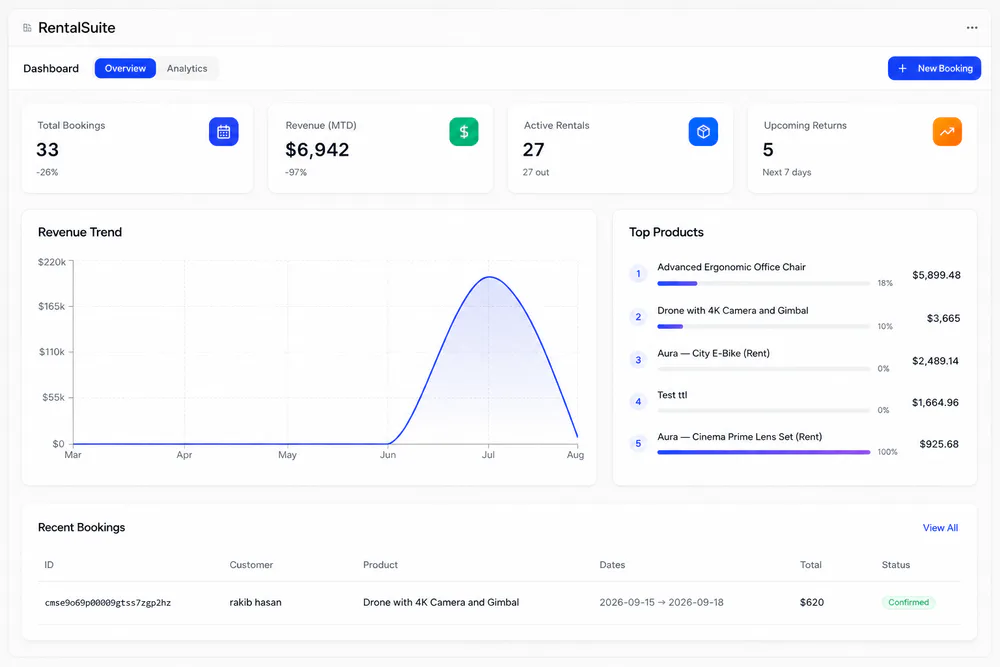
Bookings, revenue this month, active rentals, upcoming returns and your top products on one dashboard, so you know which gear to buy more of.
Booking & revenue overview
Total bookings, revenue this month, active rentals and upcoming returns on one screen.
Top rental products
See which linked products drive the most rental revenue.
Recent bookings
Scan the latest rentals with dates, totals and status, then open any booking.
Products by category
See how your fleet splits across categories at a glance.
Booking status
Confirmed, pending, completed and cancelled in one chart.
Utilization rate
Find the units that earn and the ones that sit on the shelf.
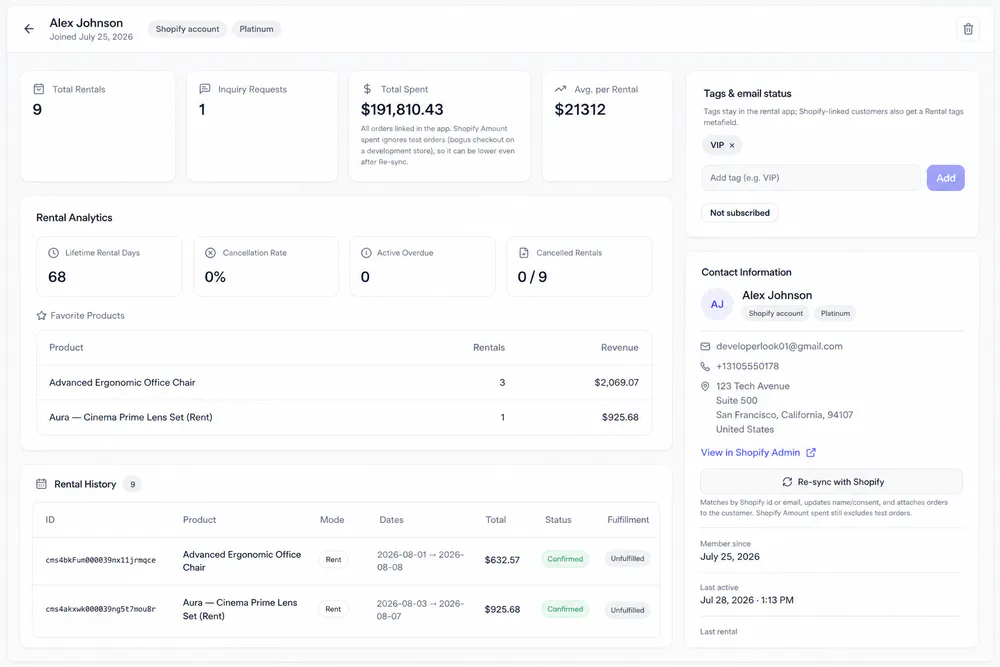
Customer profiles
Rental history, lifetime value and contact details for every renter.
Reviews in the same app
Publish or reply to storefront reviews next to the bookings they came from.
Export and filters
Loyalty-friendly filters and exports for repeat renters.
06Setup
Live in 3 steps, no developer needed
Link a product, publish the rental block from the theme editor, and take bookings. Most stores need no theme code at all.
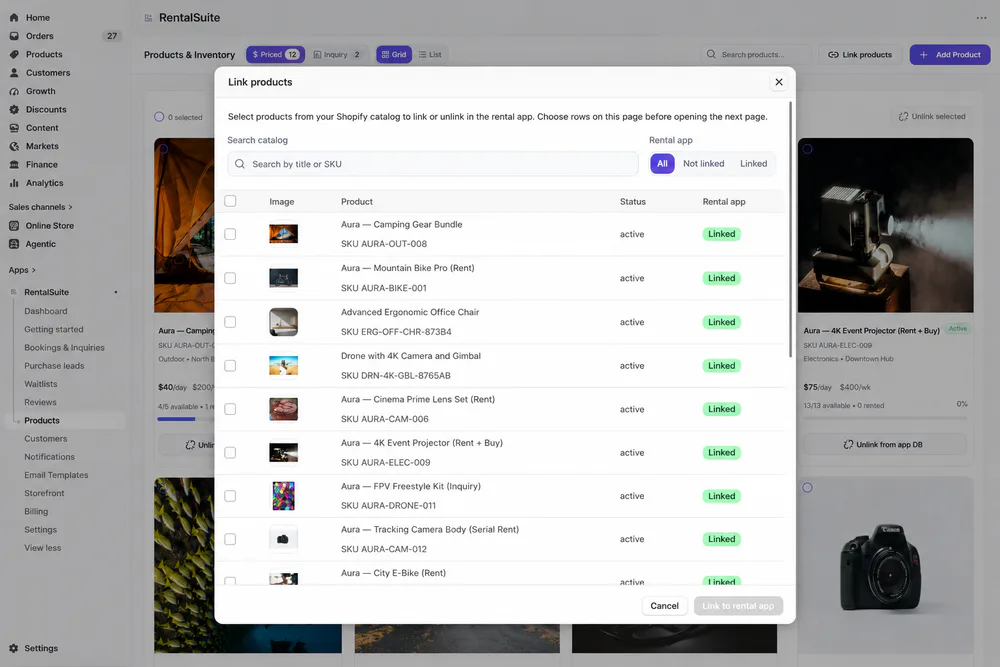
- Step 1
Link products & set rental modes
Attach Shopify products, choose Rent, Buy and Subscribe, then set rates, fleet stock and availability rules in one place.
- Link from the Products screen
- Day, week and month rates
- Serial units
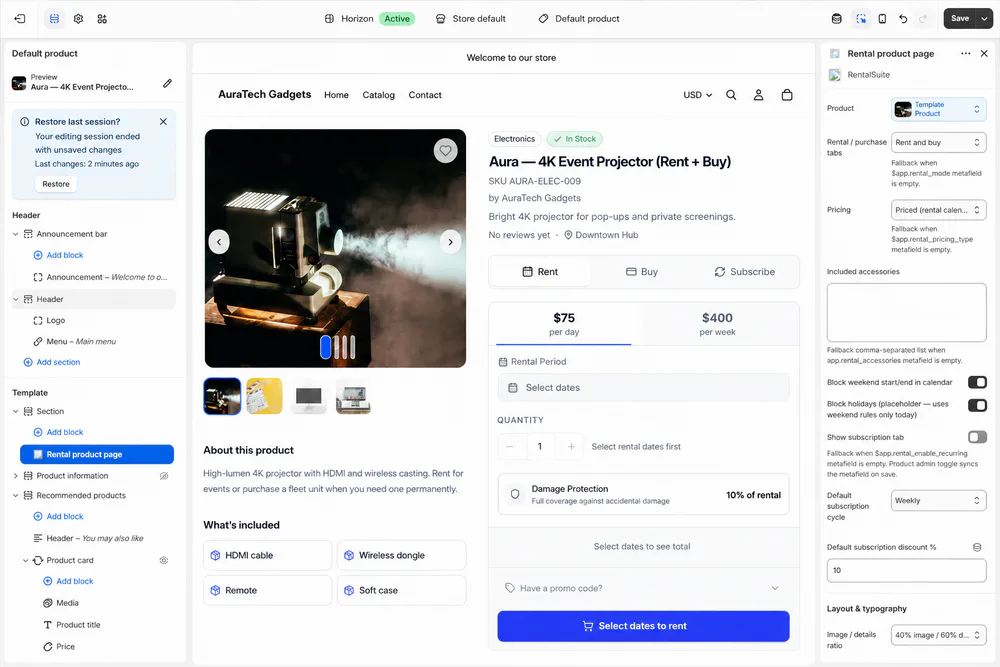
- Step 2
Publish the storefront rental block
Add the Rental product page app block from the theme editor. Shoppers get dates, totals and holds without custom theme code.
- Theme editor deep link
- Block on the product template
- Rent, Buy or Subscribe
- Step 3
Run bookings from the admin app
Confirm rentals, answer inquiries and track calendar occupancy from Bookings & Inquiries, with the same stock rules as the storefront.
- Review bookings and quotes
- Live capped stock
- Fulfill, cancel and notify
07Is it right for you
Built for renting out things, not booking time
Rental Suite lends out physical units for a range of dates and gets them back. If you sell appointments or classes, an appointment app is the better fit, and we'll say so.
Rental Suite fits if you
- Rent out gear by the day, week or month
- Need each unit blocked from pickup to return
- Take a security deposit at checkout and refund it on return
- Rent and sell the same product from one stock count
- Quote some jobs before you book them
Pick an appointment app if you
- Sell a person's time in slots
- Book rooms or classes by the hour
- Don't need to track stock or returns
 Built and supported by DeveloperLook, a US software company since 2018 with 1,250+ projects shipped.
08Pricing
Start free. Upgrade when your rentals grow.
Your first 20 rental bookings each month are free, with unlimited products. Upgrade for more bookings, quote requests, waitlists and the Subscribe option.
Purchases, quote requests and cancelled bookings never count. You get a warning at 80% of your limit.
120 bookings a monthStart on Standard
Free
Take real rental bookings at no cost while you test the idea.
- Unlimited rental products
- Storefront Rent and Buy block
- Bookings, calendar and deposits
- Promotions and reviews
Standard
For shops renting every week that want quotes, waitlists and subscriptions.
$17.50 $136.50 billed once a year
- Unlimited rental products
- Everything in Free
- Quote requests and waitlists
- Subscribe option
- 14-day free trial
Growth
For busy shops with up to 500 rentals a month and faster replies.
$27.50 $214.50 billed once a year
- Unlimited rental products
- Everything in Standard
- Priority email support
- 14-day free trial
Enterprise
No booking cap for larger fleets, with priority support.
$37.50 $292.50 billed once a year
- Unlimited rental products
- Everything in Growth
- Priority support
- 14-day free trial
14-day free trial on paid plans · Billed through Shopify, monthly or yearly · Cancel in Shopify admin without uninstalling
09FAQ
Questions before you install
Straight answers on price, booking limits, deposits and setup.
Still have questions?
Ask the team that builds the app. We reply within one business day.
What is Rental Suite?
Rental Suite is a rental booking app for Shopify stores that rent out physical products such as cameras, bikes, tools and event gear. Shoppers pick dates on the product page and pay at checkout, with an optional security deposit, and you manage every booking on one calendar. It's made by DeveloperLook.
How much does Rental Suite cost?
Rental Suite has a free plan with 20 rental bookings a month. Paid plans cost $17.50, $27.50 and $37.50 every 30 days for 200, 500 and unlimited bookings, each with a 14-day free trial. Pay yearly and you save 35%: $11.38, $17.88 and $24.38 a month, billed once a year. Standard and up add quote requests, waitlists and the Subscribe option. Every plan includes unlimited rental products, and purchases and quote requests don't count as bookings.
What happens if I go over my booking limit?
You get a warning first. At 80% of your monthly limit you get a warning in the app and by email. Past the limit, rentals keep working for a short buffer (Free up to 25, Standard up to 240, Growth up to 600 that month). After that, new rental bookings pause until you upgrade or the month resets on the 1st. Purchases, quote requests, existing bookings and subscription renewals keep working the whole time.
Can I cancel or change my plan?
Yes. Paid plans are billed through Shopify, on your Shopify invoice. Cancel or change the plan in Shopify admin under Settings, Apps and sales channels, without uninstalling the app. If you move back to Free, quote requests and waitlist sign-ups you already received are kept, and subscriptions your customers started keep renewing.
Does Rental Suite prevent double bookings?
Yes. Booked dates are blocked on the availability calendar, and you can hold a unit while a shopper is in checkout, so the same unit isn't booked twice for the same dates.
Can I take a security deposit?
Yes. Add a security deposit to a rental product and the shopper pays it at checkout with the rental. You refund it from the booking when the gear comes back, and you can also offer optional damage protection.
Can I rent and sell the same product?
Yes. One product can offer Rent, Buy and Subscribe. Rent and buy can share one fleet of stock, or you can track each unit by serial number.
Do I need to edit my theme code?
No, for most stores. Add the Rental product page block from the theme editor and turn on the app embeds. Optional embeds cover collection cards, the cart guard and post-checkout sync.
Where do I get help?
Read the documentation on this site, use the support form, or email hello@developerlook.com. We usually reply within one business day.