01 · Storefront
The heart joins the waitlist
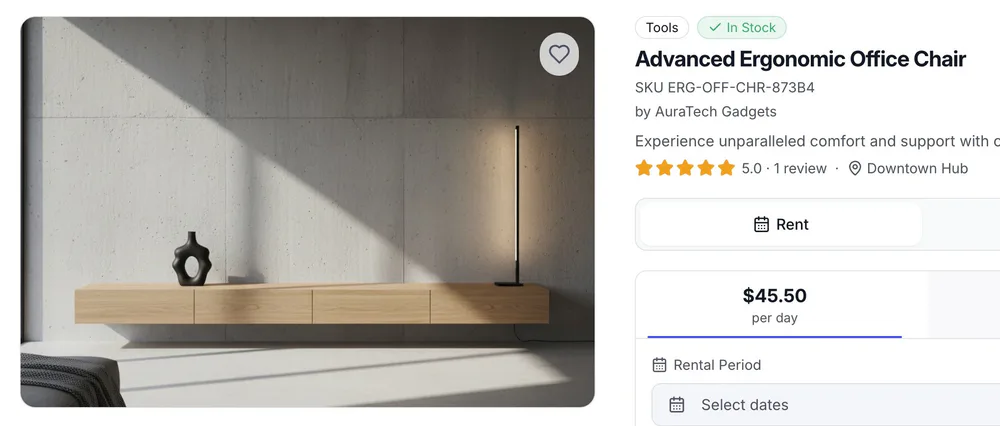
Signed-in shoppers join with one tap on the heart over the product image, and everyone else leaves an email. When no units are free to rent or subscribe, the booking panel shows a Join Waitlist form too.
When every unit is out, the shopper usually leaves for good. Rental Suite adds a waitlist app to your rental product page: shoppers join from the heart or a short form, ask to buy when nothing is left to sell, and you follow up from one list.
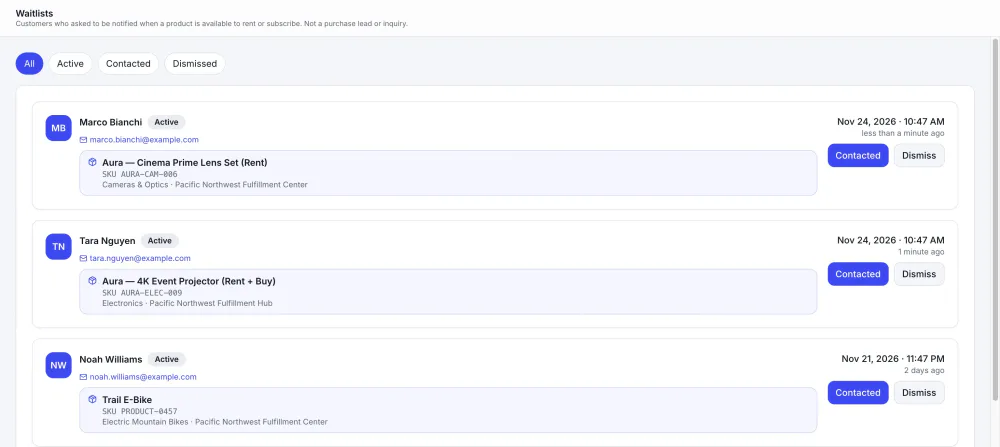
Waitlists are on Standard and up, with a 14-day free trial. Buy requests work on every plan.
01See it in action
A short walkthrough in the Rental Suite admin, with voiceover. It plays muted; press Play with sound to hear it from the start.
02Demand signals
Neither list holds stock: rent stays bookable until you reserve units for a buyer.
03Where requests go
Rent and Subscribe interest joins the rental waitlist, buy interest becomes a buy request, and quote requests go to Inquiries.
Signed-in shoppers join with one tap on the heart over the product image, and everyone else leaves an email. When no units are free to rent or subscribe, the booking panel shows a Join Waitlist form too.
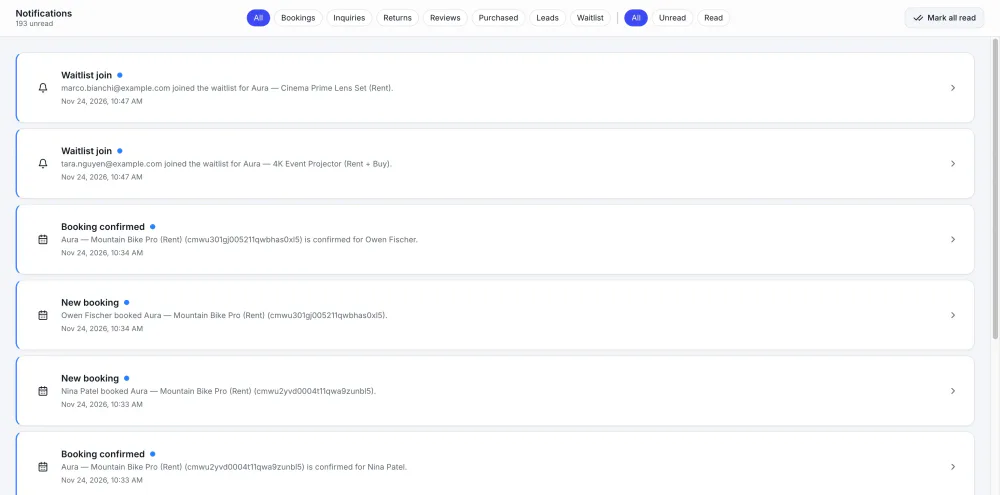
Each join posts a Waitlist join alert in the app that opens the entry: the shopper's email, the product with its SKU and location, and when they joined. Contact them yourself, then mark it Contacted or Dismiss it.
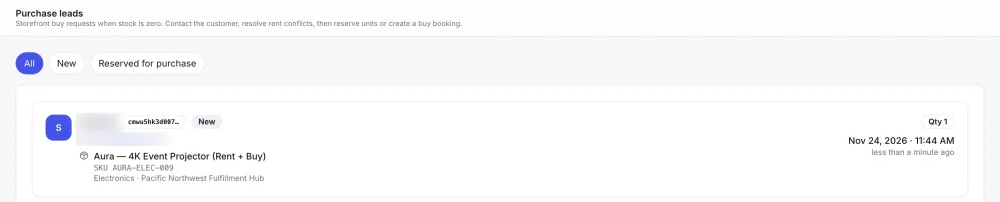
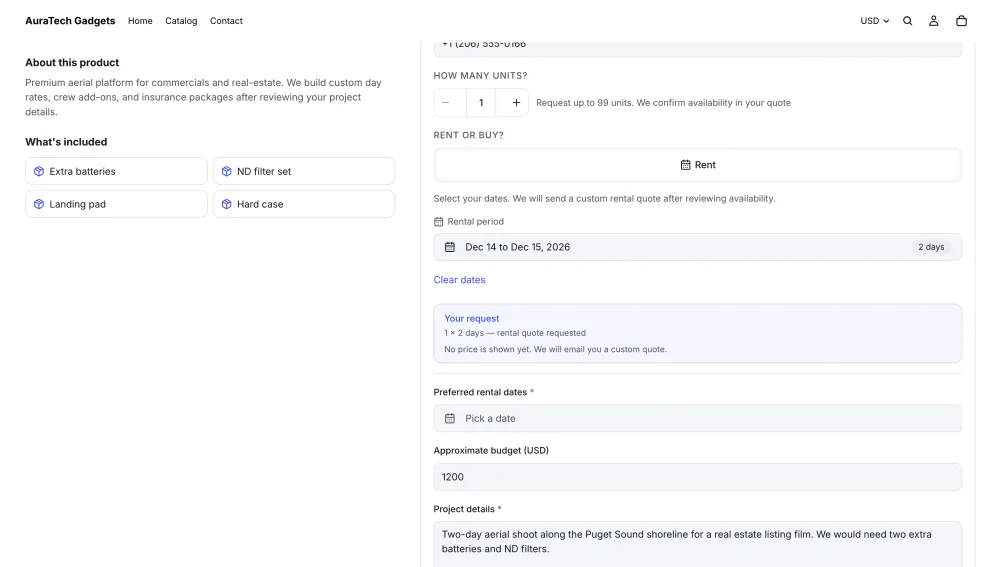
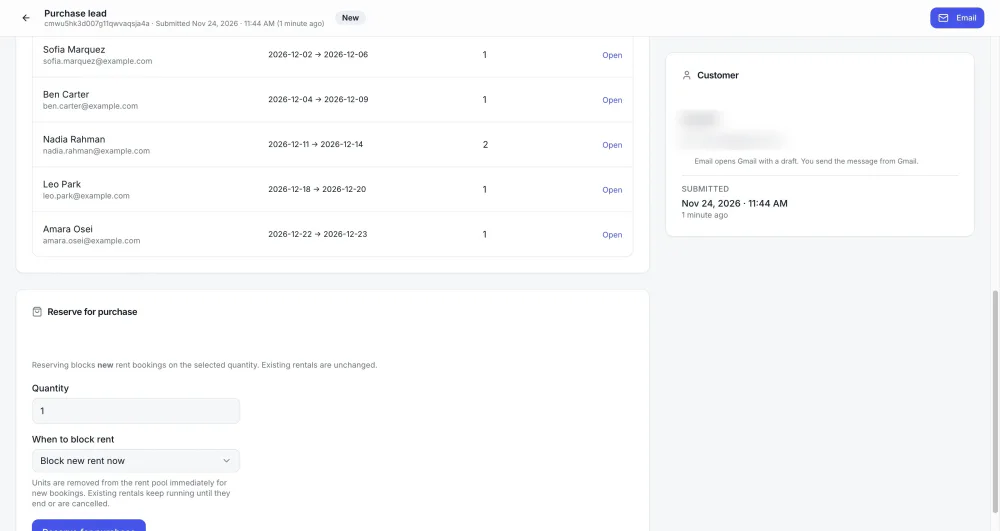
When the Buy tab has nothing to sell, shoppers leave an email, the quantity and an optional phone and message. Each request lands on Purchase leads as New.
Products you price by quote show Request a Quote instead. Those requests go to the Inquiries tab in Bookings, not to waitlists or buy requests.
04Buy request
Contact the shopper first. A reservation takes units out of the rent pool for new bookings for seven days, and rentals already booked keep running.
05Alerts
Each waitlist join and buy request posts an alert in the app that opens the entry. The Waitlist and Purchase interest switches in Settings › Notifications turn them on or off.
06Features
07Related
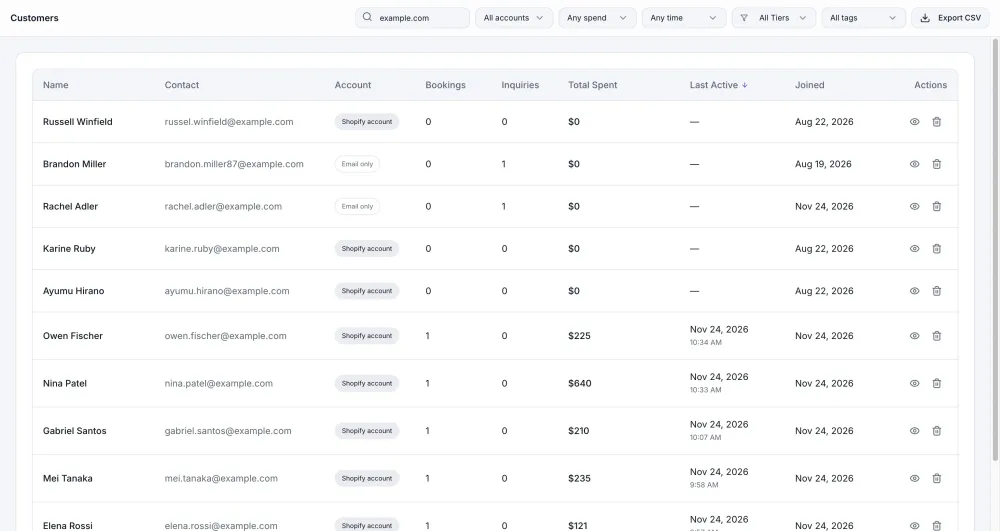
Order lists don't show who keeps coming back or which gear sits on the shelf. Rental Suite gives every renter one profile, and its dashboard turns the same bookings into rental analytics: repeat customers, lifetime value, revenue and utilization.
Learn more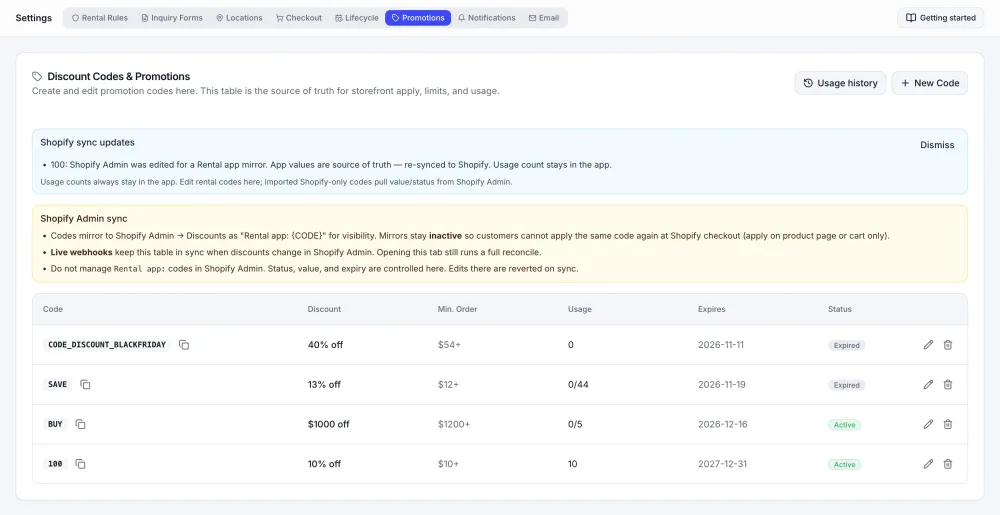
Quiet weeks need a reason to book, but a code with no limits can run for months. Rental Suite lets you create rental promo codes with a minimum order, a usage limit and an expiry date, and they work on the product page, in the cart and in New Booking.
Learn more
Shoppers trust reviews from people who used the gear. Rental Suite is a product reviews app that opens the review form only after a completed rental, purchase or subscription, holds each review until you approve it, and lets you reply as the store.
Learn more08FAQ
Common questions about waitlists and buy requests in Rental Suite.
Ask the team that builds the app. We reply within one business day.
It collects the email of a shopper who wants gear you can't rent right now, so you can contact them when a unit is free. Rental Suite puts the waitlist on your rental product page and lists every entry in the app.
The heart on the product image joins the waitlist at any time. When a product has no units free to rent or subscribe, the booking panel also shows Currently Unavailable with a Join Waitlist form.
No. The heart joins the waitlist for that product. Rental Suite has no saved-items wishlist.
Not automatically. You contact the shopper yourself from their entry, then mark it Contacted. Rental Suite doesn't send a back in stock email for you.
No. Neither holds stock. Units only leave the rent pool when you reserve them for a buyer from a buy request.
Standard, Growth and Enterprise. On the Free plan shoppers can't join a waitlist, and the Waitlists page shows an upgrade button. Buy requests work on every plan. Paid plans start with a 14-day free trial.