Availability calendar

Prevent double booking with live stock and checkout holds

Two customers paying for the last unit on the same weekend is the phone call nobody wants to make. Rental Suite checks live stock at every step and holds the dates while a shopper pays.

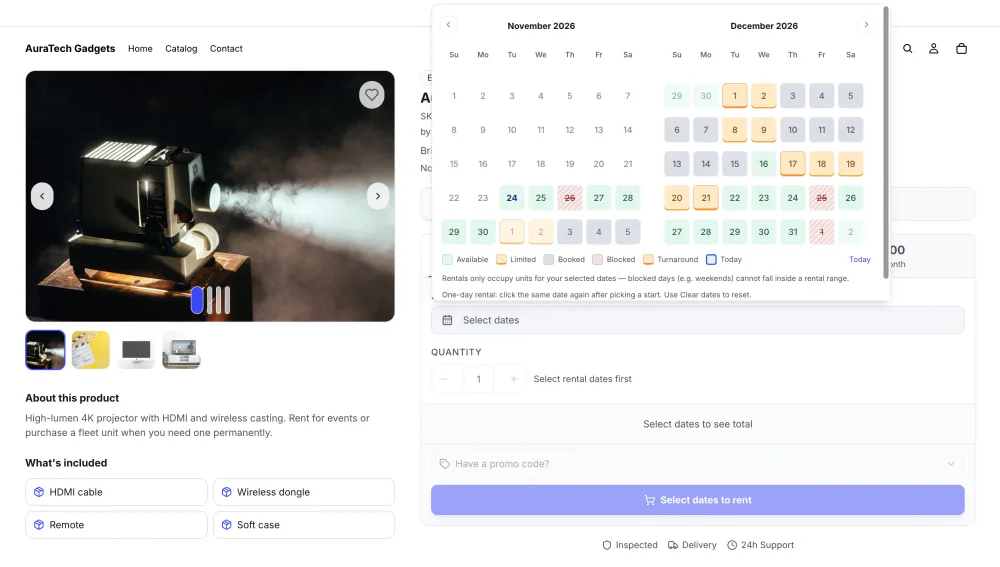
Date picker on a projector product page with runs of booked days in grey next to limited days in amber and free days in green

01See it in action

See double booking prevention in the admin

A short walkthrough in the Rental Suite admin, with voiceover. It plays muted; press Play with sound to hear it from the start.

Read the setup guide

02Overview

Double booking prevention in Rental Suite

To prevent double booking, every place that sells a rental has to work from the same count, and check it again before the sale is final. Rental Suite keeps one count per product: confirmed rentals, overdue returns, turnaround days, purchases from the fleet and checkouts in progress all take units out of it for the days they cover.

The product page, the cart, Shopify checkout and New Booking in the admin all read that count. The dates are held while a shopper pays, and checked once more when the payment arrives.

One count for the storefront and the admin

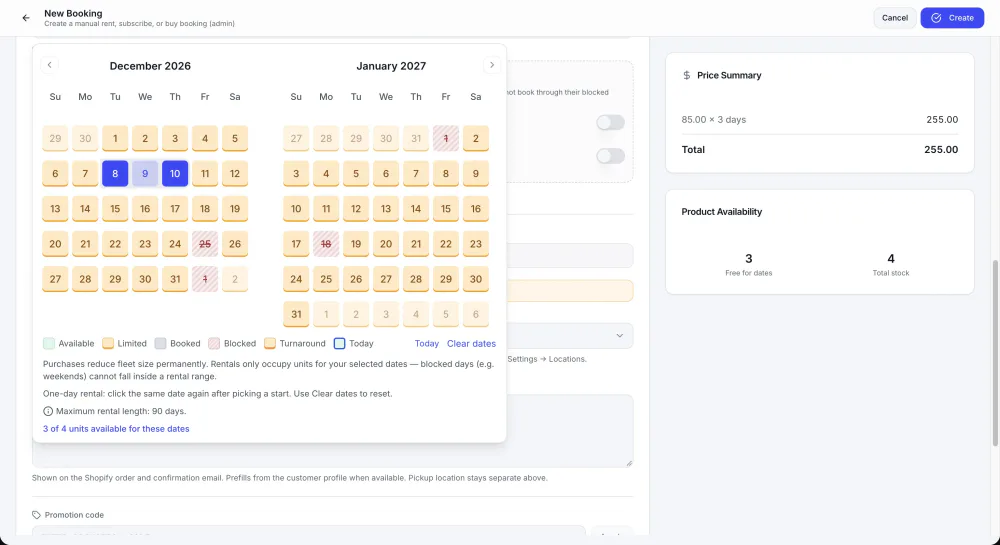
A phone booking and a web booking for the same dates draw on the same units. New Booking shows the units free for the chosen dates next to total stock, and the product page shows a line such as "3 of 4 units available for these dates". Neither lets you take more than that.

If you track serial units, a unit booked for overlapping dates can't be given to a second booking.
Rental Suite
New Booking date picker in the admin with December 8 to 10 selected and 3 of 4 units free

A range can't cross a booked day

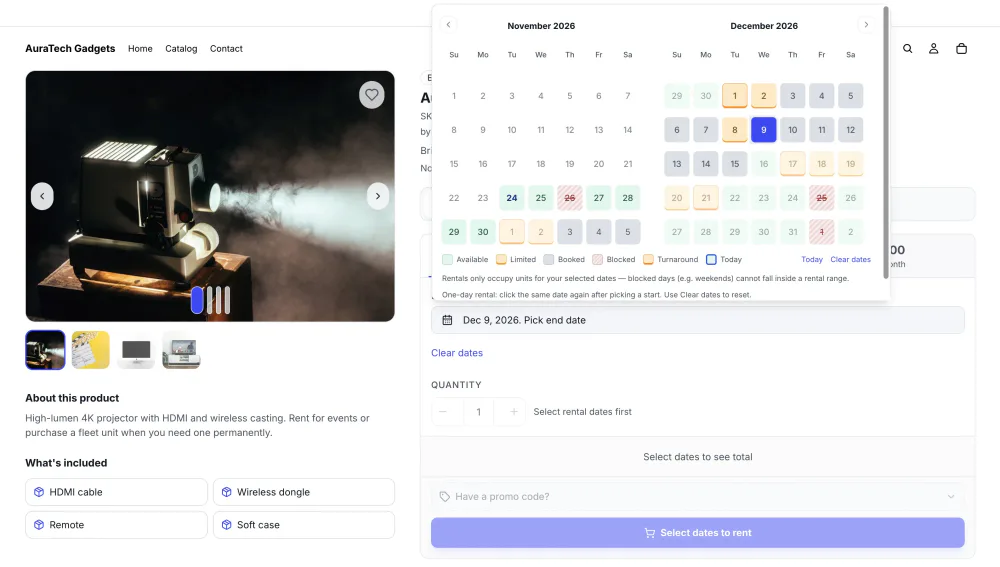
On the product page, days with no units left show as booked and can't be picked. Once a shopper picks a start day, every day past the next booked run is greyed out, so the end of the rental can't land on the far side of dates someone else already has.

A shopper who wants a longer rental picks a start after the booked days instead. Because the picker works from the same count as the admin, a day that's booked here is booked everywhere.

Rental Suite
Projector date picker after choosing December 9 as the start: every day beyond the next booked run is greyed out and can't be picked as the end

Booking hold at checkout

When a shopper clicks Checkout on the cart page, Rental Suite checks the dates again and holds them. While the hold runs, nobody else can book those units for those days. This payment hold is always on for storefront rentals and purchases.

Set how long it lasts in Settings, Checkout: from 15 to 240 minutes, 60 by default. If the order isn't paid in that time, the hold ends and the unpaid booking is cancelled.

Rental Suite
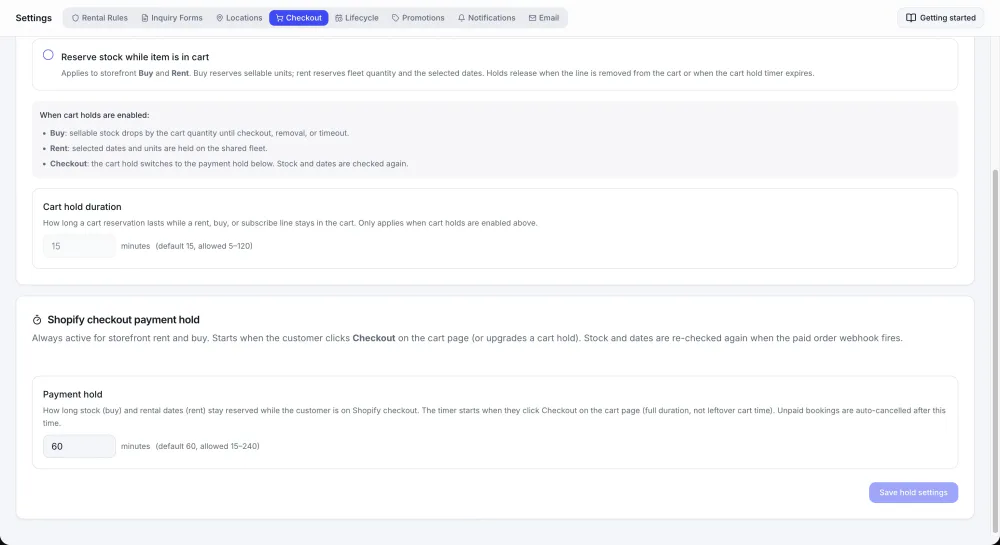
Checkout settings showing the 60 minute payment hold that keeps stock and rental dates reserved during checkout

Reserve the item while it's in the cart

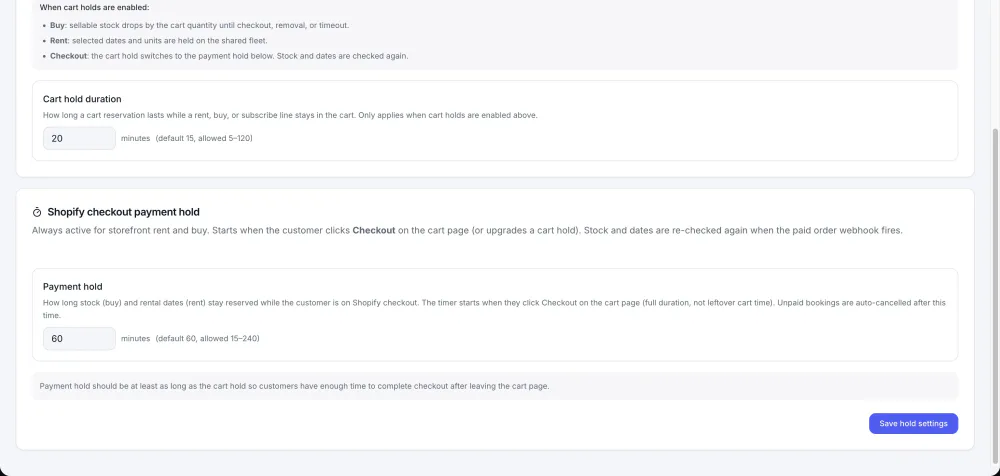
The cart hold is optional and off by default. Turn on Reserve stock while item is in cart and the dates and units are held from the moment a shopper adds the rental to the cart, for 5 to 120 minutes (15 by default). The hold ends when the line is removed or the timer runs out, and at checkout it switches to the payment hold. Keep the payment hold at least as long as the cart hold.

Cart holds need the Rental cart guard app embed turned on in your theme.

Rental Suite
Checkout settings with a 20 minute cart hold and the 60 minute payment hold below it

Late returns and turnaround keep units blocked

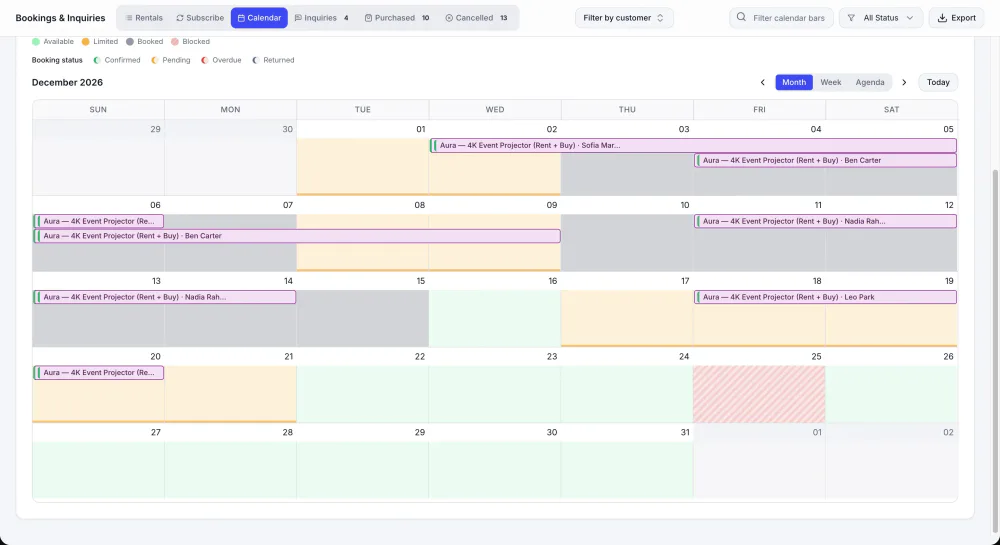
A rental marked overdue keeps its unit blocked past its end date until it's returned, so the next customer can't book an item that isn't back yet. Turnaround days before and after each rental hold the unit too.

On the Calendar tab in Bookings, pick a product and switch on the availability overlay to see its free, limited, booked and blocked days behind its bookings.

Rental Suite
Bookings calendar for one projector with the availability overlay on, its bookings for December and the legend for day colours and booking statuses, including Overdue

A last check when the payment arrives

Rental Suite checks the dates and stock once more when Shopify reports the order as paid. If the dates are no longer free by then, for example when a payment lands after its hold has ended, the booking isn't confirmed, the customer doesn't get a confirmation email, and the booking gets a note so you can sort it out with them.

03How it works

Set up double booking prevention in 4 steps

The steps a merchant takes in the Rental Suite admin, in order.

Read the setup guide

  1. Turn on the cart guard

    In the theme editor, turn on Rental cart guard under App embeds so carts and holds follow the rental dates.

  2. Set the payment hold

    In Settings, Checkout, set how long dates stay held while a shopper pays, then save.

  3. Decide on cart holds

    Turn on Reserve stock while item is in cart if you want dates held from the moment a rental goes in the cart.

  4. Add turnaround

    Set turnaround days in Rental Rules so each unit has time for prep and cleaning between rentals.

05Get started

Try double booking prevention on your store

Install Rental Suite, then turn on double booking prevention in the admin. The setup guide walks through each screen.

06FAQ

Double booking prevention questions

Answers to common questions about double booking prevention in Rental Suite.

Still have questions?

Ask the team that builds the app. We reply within one business day.

How do I prevent double bookings on my rental store?

Sell from one stock count and hold the dates while the customer pays. Rental Suite does both: the storefront and the admin share one count per product, and checkout holds keep the dates reserved until the order is paid or the hold ends.

What is a booking hold at checkout?

A booking hold reserves the rental dates and units for a set time while a shopper is in checkout. In Rental Suite the payment hold lasts 60 minutes by default and can be set from 15 to 240 minutes.

Can I reserve an item while it's in the cart?

Yes, if you turn on the cart hold in Settings, Checkout. It holds the dates for 5 to 120 minutes, 15 by default, and releases them when the item leaves the cart.

What happens to an unpaid checkout?

When the payment hold runs out without a paid order, the hold ends, the unpaid booking is cancelled and the dates are free again.

Do phone bookings use the same stock as online bookings?

Yes. New Booking in the admin checks the same units, holds and rules as the storefront, so staff can't book a unit a customer already has.

What if a rental comes back late?

A rental marked overdue keeps its unit blocked until it's returned, so it can't be booked again while it's still out.